Overview of How Long Will A Smoke Detector Beep Without a Battery?
A battery-powered smoke detector emits a single beep every 30–60 seconds to indicate a low or dead battery and will typically continue this for at least 30 days until the battery is exhausted. Without a battery, only the individual detector will sound (not interconnected units). If the detector is faulty or at end of life, it may emit repeated beeps with about a 3-second gap and continue until repaired or replaced.
Quick Solutions to Questions related to Smoke Detector Beeping:
-
How long will a smoke detector beep without a battery?
It will beep once every 30–60 seconds and typically continue for at least 30 days until the battery is completely dead. -
Does a smoke detector without a battery trigger other connected alarms?
No, without a battery only the individual smoke detector will sound; other interconnected devices will not beep. -
How long does a smoke detector beep when the battery is low?
It emits a single beep every 30–60 seconds and will usually continue for at least a month until the battery depletes. -
What does repeated beeping with a 3-second gap indicate?
That pattern suggests a malfunction or end of life, and the detector will keep beeping until fixed or replaced. -
Can a faulty or EOL smoke detector stop beeping on its own?
It may continue to beep indefinitely or until the issue is resolved or the unit is replaced.
Any smoke detector operated by a battery will beep every 30-60 seconds for at least 30 days without a battery.
Explanation
How Long Will A Smoke Detector Beep Without a Battery?
“A smoke detector beeps without a battery” merely implies that the battery that was powering the smoke detector has worn out or is low on power.
As a result, the smoke detector beeps once every 30 seconds to one minute to notify you that the battery needs to be replaced. And the device will beep incessantly for a month until the battery dies completely.
Also, bear in mind that without a battery, just the smoke detector will sound; the other associated devices/alarm will not beep.
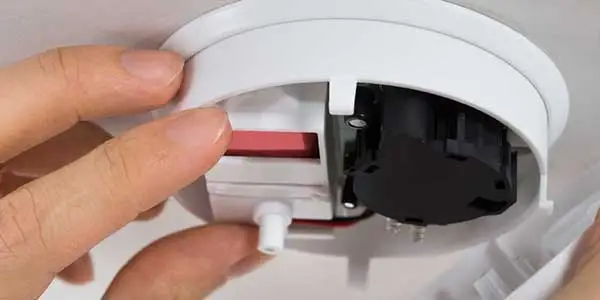
How Long Does a Smoke Detector Beep with Battery?
If a smoke detector malfunctions or reaches its EOL, it will emit numerous beeping noises for an unknown amount of time before stopping. However, if the smoke detector is beeping because the battery is losing charge, it will continue to sound for at least a month until the gadget shuts off.
Explanation
If the smoke detector is powered by a battery, it will emit a single beeping sound at regular intervals of 30 seconds to 1 minute before shutting down owing to the battery’s depletion.
And this single beeping sound will continue to emanate from the smoke detector device for at least a month, while the precise time can range from several days to months to years in certain extreme circumstances.
And, if the smoke detector is faulty or has reached its EOL (end of life), it will beep numerous times with a 3-second gap in between.
In this case, the smoke detector will beep indefinitely before totally dying, or it will beep until the problem is corrected or it is replaced with a new one.
More: These Intelligent Smoke Detectors Will Warn You Right before Flames Surface
About The Author

Hassan Zaka
I am an expert in accounting and possess diverse experience in technical writing. I have written for various industries on topics such as finance, business, and technology. My writing style is clear and simple, and I utilize infographics and diagrams to make my writing more engaging. I can be a valuable asset to any organization in need of technical writing services.
Follow Us:LinkedinTwitter