Overview of WHITE SPOT ON SAMSUNG TV SCREEN: Practical Fixes That Actually Work
This article explains that white spots on Samsung TVs often result from temporary glitches or fallen LED backlight reflector lenses rather than permanent screen damage. It outlines a troubleshooting sequence starting with a cold boot, checking HDMI connections, updating software, adjusting picture settings, and performing a factory reset. If these fail, the issue is likely physical: heat weakening the glue holding reflector lenses in place, causing exposed LEDs to glow. The guide advises listening for sliding sounds inside the TV to confirm loose lenses and recommends professional repair unless the user has specific hardware expertise.
Quick Solutions to Questions related to White Spots on Samsung TV:
-
Can a WHITE SPOT ON SAMSUNG TV SCREEN go away on its own?
Yes, if caused by a temporary power or software glitch, it may disappear after a proper cold boot. -
How do I know if the problem is from an HDMI device and not the TV?
Disconnect all external devices and open the on-screen menu; if spots appear over the menu, the issue is internal. -
Will updating software fix a WHITE SPOT ON SAMSUNG TV SCREEN?
It can help if the issue relates to firmware or image processing but will not fix physical backlight lens problems. -
Why do white circles appear on Samsung TVs?
A common cause is an LED backlight reflector lens falling off, leaving the bare LED to shine as a concentrated bright spot. -
Is lowering brightness a real fix?
No, it only makes faint spots less noticeable and does not repair the underlying hardware problem. -
What is the default Samsung TV reset PIN?
The default PIN used during a factory reset is 0000.
If you suddenly notice a WHITE SPOT ON SAMSUNG TV SCREEN, glowing circles, or bright little orbs, it is easy to assume the display panel is failing. The good news is that, in most cases, the TV is not completely broken, and the cause is often much simpler than it looks.
This problem is very common on Samsung TVs. Sometimes it is just a temporary glitch. Other times, it points to a specific hardware issue inside the backlight system. The key is to start with the easy fixes first, then work methodically toward the real cause.

Table of Contents
- 🔍 What a WHITE SPOT ON SAMSUNG TV SCREEN Usually Means
- 🔌 Start With the Most Effective First Fix: Cold Boot the TV
- 🧩 Check HDMI Cables and Connected Devices
- ⚙️ Update the TV Software
- 🖼️ Adjust Picture Settings for a Quick Improvement
- 🔄 Try a Factory Reset Before Assuming Hardware Failure
- 💡 The Real Cause in Many Cases: LED Backlight Reflector Lenses
- 🛠️ How to Confirm the Lens Problem Without Opening the TV
- 👨🔧 Should You Repair It Yourself or Call a Professional?
- ✅ Troubleshooting Order That Makes the Most Sense
- ❓FAQ
- 📌 Final Thoughts
🔍 What a WHITE SPOT ON SAMSUNG TV SCREEN Usually Means
A WHITE SPOT ON SAMSUNG TV SCREEN can show up in a few different ways:
- Bright white dots
- Glowing circular spots
- Small orb-like patches of light
- Persistent bright areas that stay in the same place
At first glance, it can look like the screen itself is damaged. But before assuming the worst, it is worth checking the common software, power, and connection-related causes.
🔌 Start With the Most Effective First Fix: Cold Boot the TV
The simplest fix is also one of the most effective. A full power drain can reset internal components and clear temporary glitches that sometimes create display artifacts.
Here is the process:
- Turn the TV completely off.
- Unplug it from the wall outlet.
- Press and hold the power button on the TV itself for about 15 seconds.
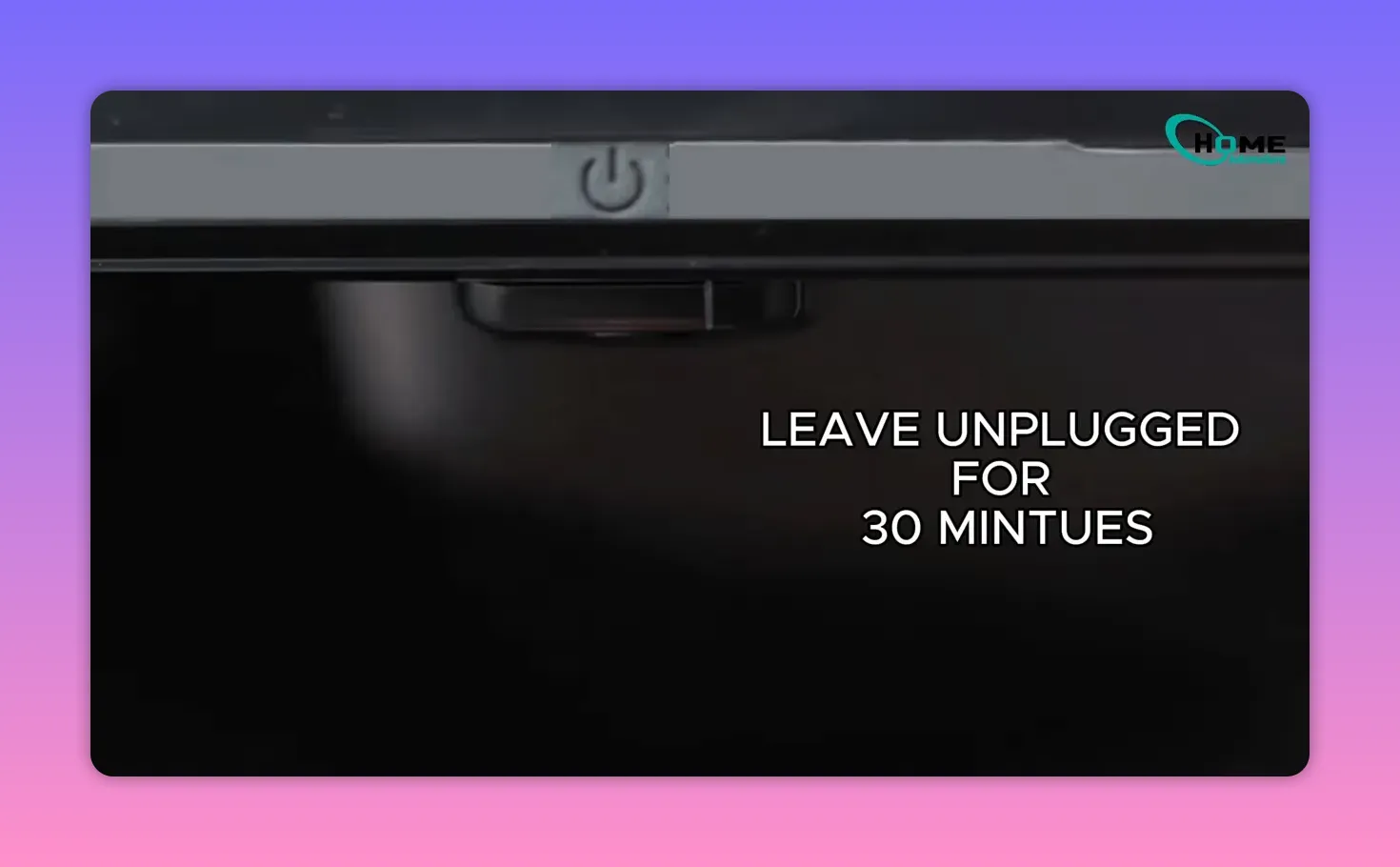
- Leave the TV unplugged for at least 30 minutes.
- Plug it back in and turn it on.
This kind of cold boot helps drain leftover power from the system. It is a simple reset, but it can clear out odd behavior that a normal restart does not always fix.
If the WHITE SPOT ON SAMSUNG TV SCREEN disappears after this step, then the issue was likely temporary rather than physical damage.
🧩 Check HDMI Cables and Connected Devices
If the white spots are still there, the next thing to rule out is an external source.
Unplug all HDMI cables and disconnect every device attached to the TV. That includes:
- Streaming boxes
- Game consoles
- Sound systems using HDMI
- Cable or satellite boxes
If needed, clean the cable ends, then reconnect devices one at a time. You can also try a different HDMI port.
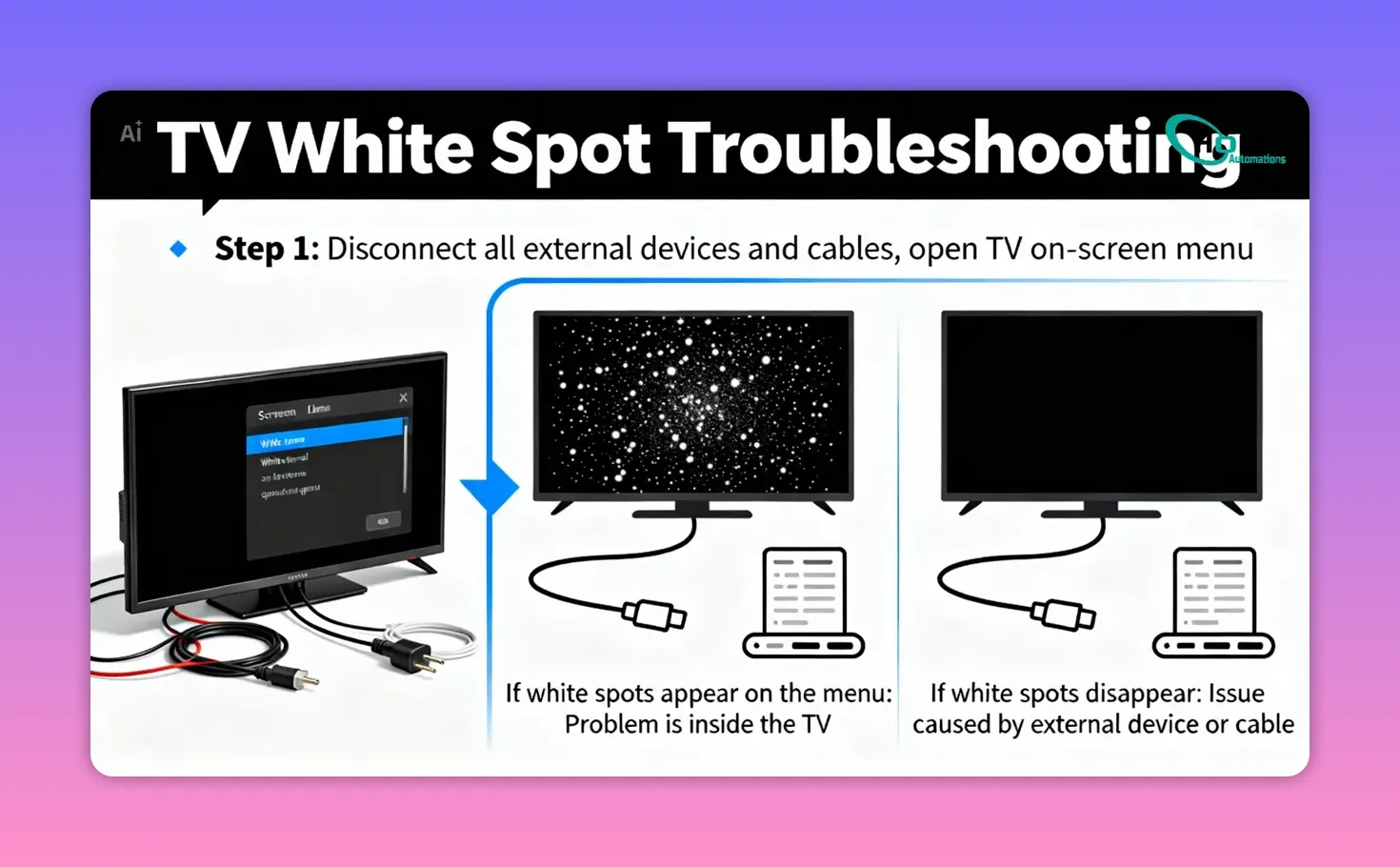
A fast way to test whether the problem is internal or external is this:
- Disconnect everything from the TV.
- Open the TV’s on-screen menu.
If the white spots appear on top of the TV menu itself, the problem is inside the TV.
If the spots disappear once external devices are removed, then one of the connected devices or cables is causing the issue.
This is an important checkpoint because it prevents unnecessary repair work when the actual problem is a bad cable or source device.
⚙️ Update the TV Software
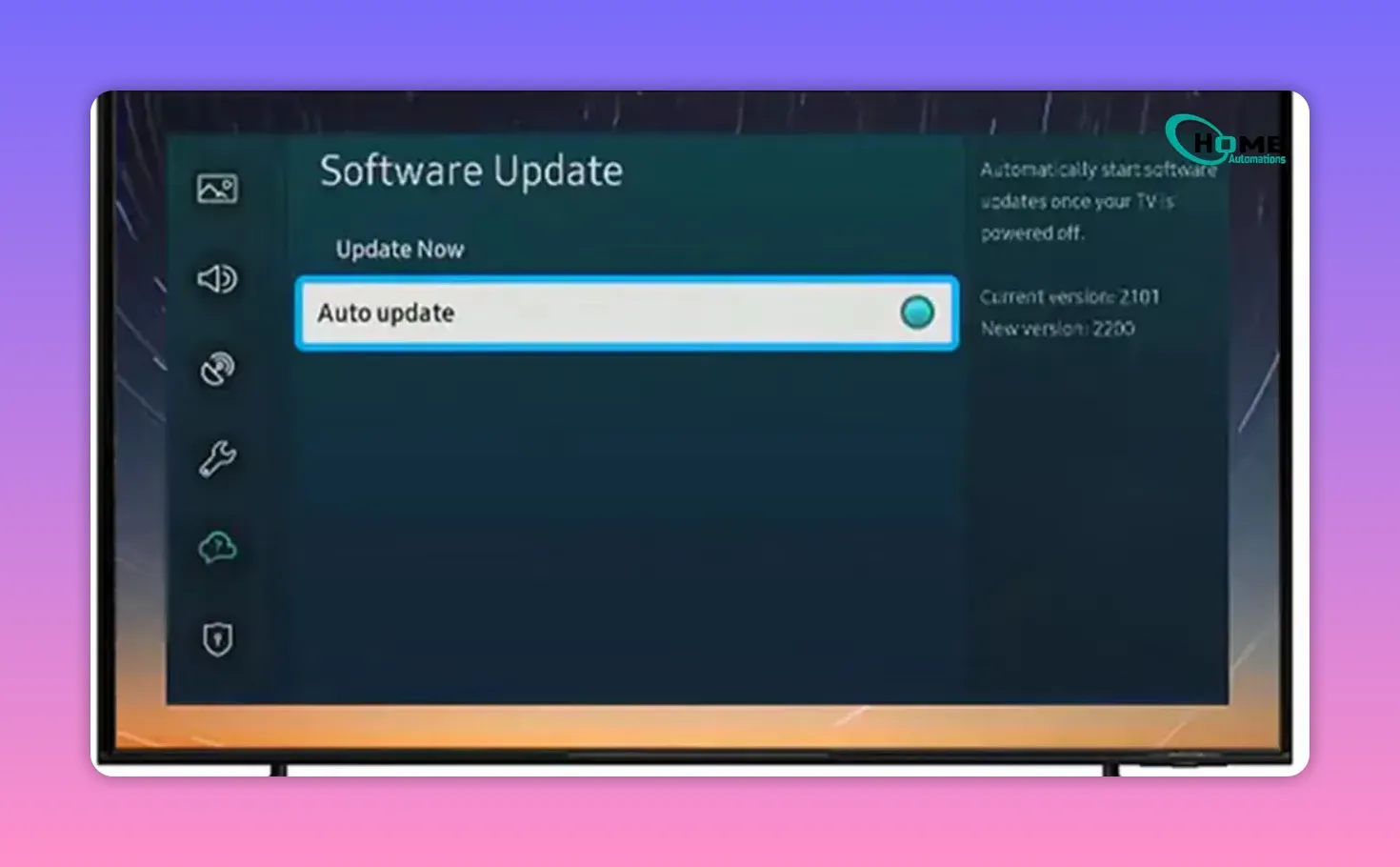
Outdated firmware can sometimes lead to display artifacts or unusual screen behavior, so it is worth checking the software before moving on.
Go to:
- Settings
- Support
- Software Update
Make sure automatic updates are enabled. If an update is available, install it and restart the TV.
This step may not solve every WHITE SPOT ON SAMSUNG TV SCREEN issue, but if the problem is tied to software or display processing, a firmware update is one of the easiest fixes available.
🖼️ Adjust Picture Settings for a Quick Improvement
This is not a true hardware repair, but it can reduce how noticeable the problem looks, especially when the spots are faint.
Open:
- Picture
- Expert Settings
Then slightly lower:
- Brightness
- Contrast
If the spots are subtle, dialing back these settings can make them less distracting. It is more of a visual workaround than a fix, but it is worth trying while diagnosing the problem.
🔄 Try a Factory Reset Before Assuming Hardware Failure
If nothing else has worked, a factory reset is the last software-based step worth trying.
Navigate to:
- General and Privacy
- Reset
When prompted, enter the default PIN:
0000
Once the TV restarts, check the screen again.
If the WHITE SPOT ON SAMSUNG TV SCREEN is still there after a full reset, then it is time to look at the most likely physical cause inside the TV.
💡 The Real Cause in Many Cases: LED Backlight Reflector Lenses
If the white spots survive the reset, the issue is often not software at all. It usually comes from the TV’s internal LED backlight system.
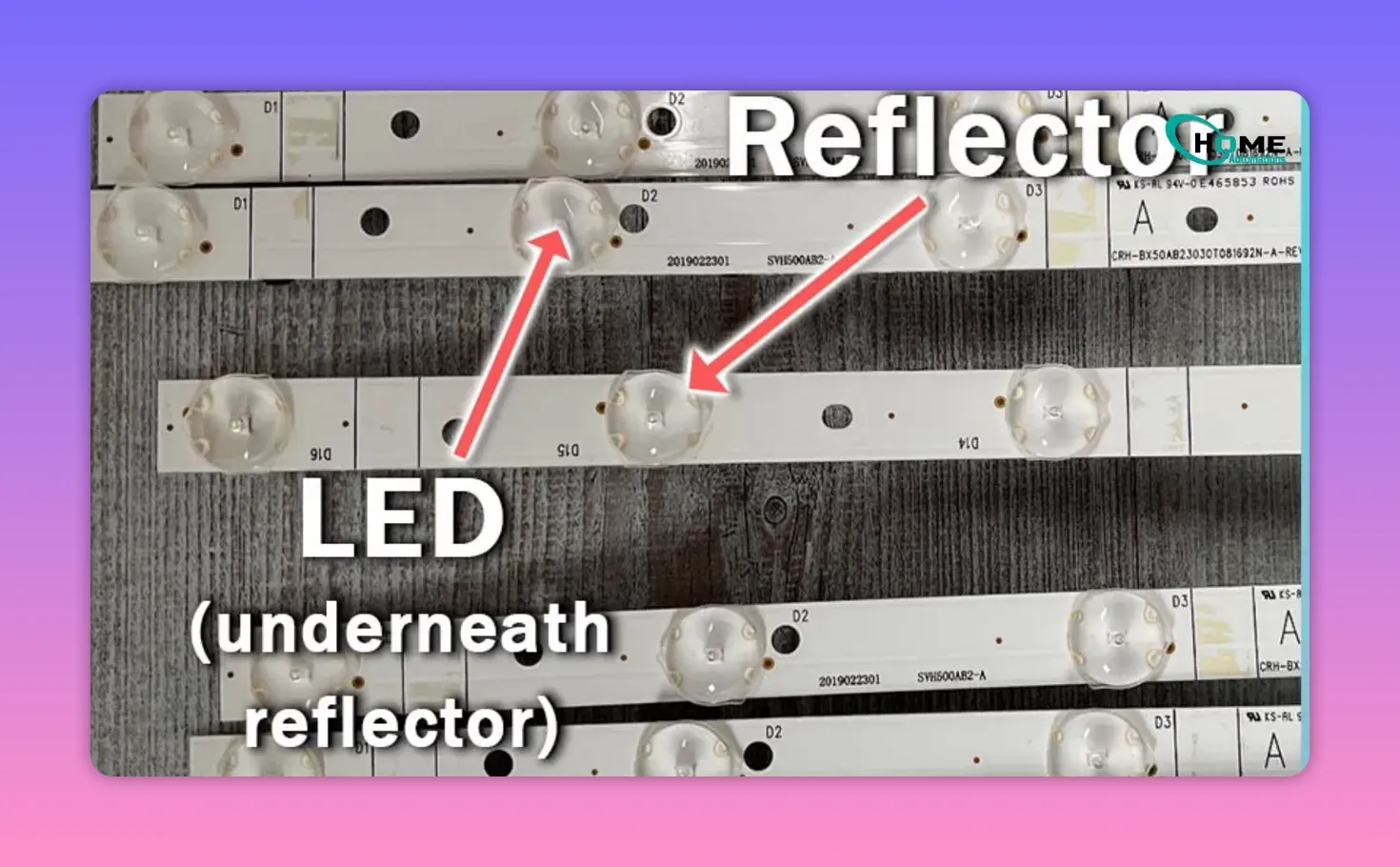
Inside the TV, each LED backlight has a small reflector lens attached on top. That lens spreads the light evenly across the screen so you see a smooth image instead of harsh points of light.
Over time, heat can weaken the glue that holds those lenses in place. When one falls off, the bare LED underneath shines as a concentrated bright point. That is what shows up as a glowing white circle or orb on the display.
This is one of the most common reasons for a persistent WHITE SPOT ON SAMSUNG TV SCREEN.
🛠️ How to Confirm the Lens Problem Without Opening the TV
There is a simple way to check for loose reflector lenses without taking the TV apart.
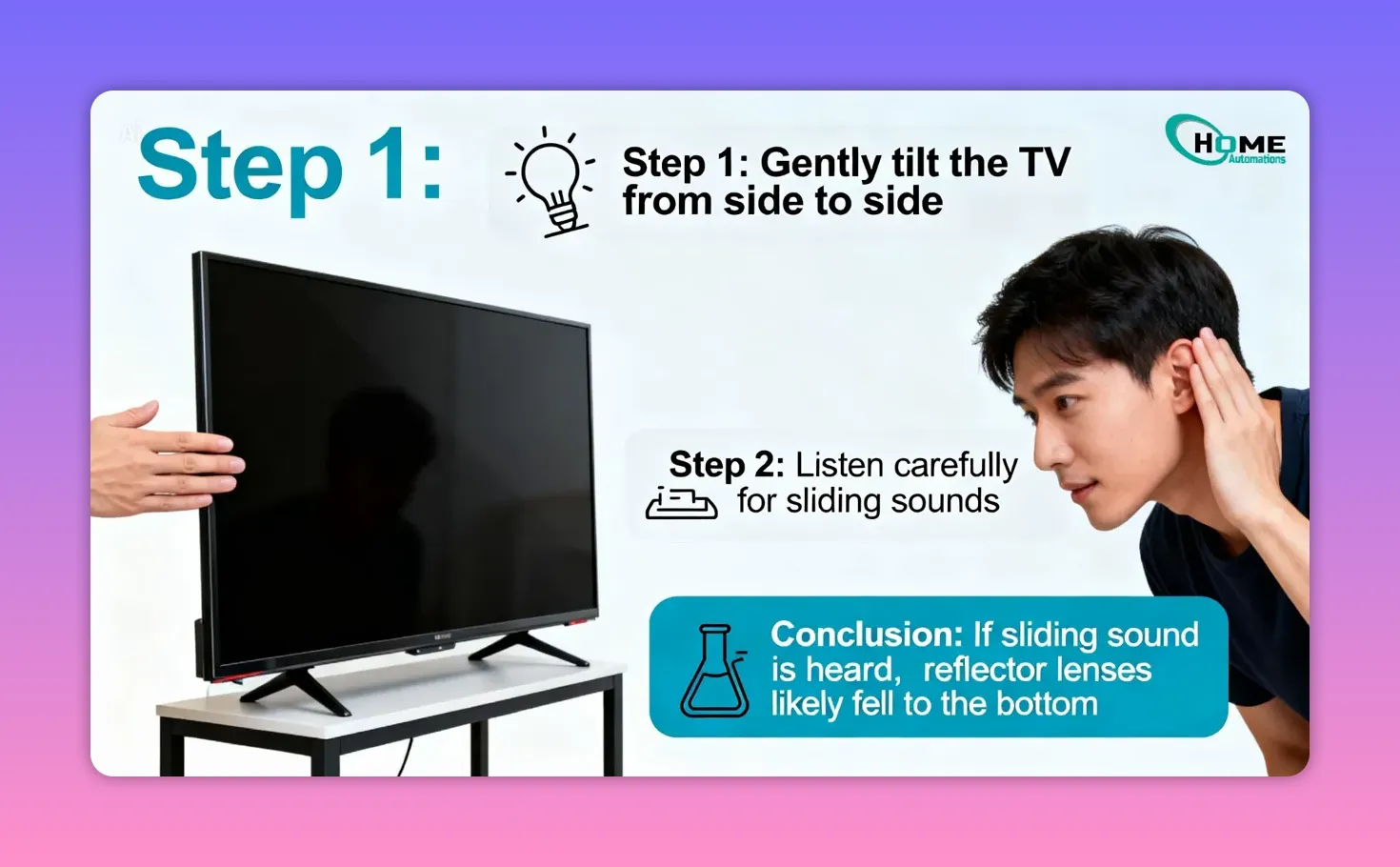
Gently tilt the TV from side to side and listen carefully.
If you hear something sliding around inside, there is a good chance the reflector lenses have fallen off and dropped to the bottom of the TV cabinet.
That sound is a strong clue. It means the white spots are likely being caused by exposed LEDs rather than a cable, menu glitch, or picture setting.
👨🔧 Should You Repair It Yourself or Call a Professional?
Once the problem is traced to fallen LED reflector lenses, the solution becomes a hardware repair.
The metadata for the guide mentions reattaching the lenses securely, but the main recommendation is clear: get professional help unless you are fully confident doing the repair yourself.
That is the safest advice.
Opening a TV involves delicate internal components, and improper handling can create bigger problems than the original white spots. If you are not experienced with TV disassembly and backlight repair, a professional technician is the better route.
If you are comfortable with internal electronics repair, then at least you now know what you are looking for: loose backlight reflector lenses caused by heat-related glue failure.
✅ Troubleshooting Order That Makes the Most Sense
If you want the cleanest path from easiest fix to actual diagnosis, use this order:
- Cold boot the TV
- Disconnect all HDMI devices and test the on-screen menu
- Update the TV firmware
- Lower brightness or contrast slightly
- Factory reset the TV
- Listen for loose reflector lenses inside the TV
- Arrange hardware repair if needed
This sequence saves time and avoids jumping straight to an internal repair when the problem may still be something simple.
❓FAQ
Can a WHITE SPOT ON SAMSUNG TV SCREEN go away on its own?
If the cause is a temporary power or software glitch, yes, it can disappear after a proper cold boot or restart. If the cause is a fallen LED reflector lens, it will usually remain until repaired.
How do I know if the problem is from an HDMI device and not the TV?
Disconnect all external devices and open the TV’s on-screen menu. If the white spots still appear over the menu, the issue is inside the TV. If they disappear, an external cable or device is likely responsible.
Will updating software fix a WHITE SPOT ON SAMSUNG TV SCREEN?
It can help if the issue is related to firmware or image processing glitches. It will not fix a physical backlight lens problem.
Why do white circles appear on Samsung TVs?
A very common cause is an LED backlight reflector lens falling off inside the TV. When that happens, the exposed LED creates a concentrated bright spot that appears as a white circle or orb on the screen.
Is lowering brightness a real fix?
No. It is only a way to make faint spots less noticeable. It does not repair the underlying problem.
What is the default Samsung TV reset PIN?
In this case, the default PIN is 0000.
Should I open the TV myself to fix the white spots?
Only if you are fully confident with TV hardware repair. Otherwise, professional service is the safer choice, especially when the issue points to loose backlight reflector lenses.
📌 Final Thoughts
A WHITE SPOT ON SAMSUNG TV SCREEN looks serious, but it does not always mean the screen panel is dying. Start with the simple fixes first: power drain, cable checks, software update, picture adjustments, and a factory reset.
If none of those work, the most likely cause is a fallen LED reflector lens inside the backlight assembly. At that point, you are dealing with a hardware repair, not a mystery glitch.
The upside is that once you know what causes these bright white orbs, the problem becomes much easier to diagnose and much less intimidating to understand.
This article was created from the video How To Fix White SPOTS ON SAMSUNG TV: PRACTICAL TROUBLESHOOTING GUIDE with the help of AI.
About The Author

Hassan Zaka
I am an expert in accounting and possess diverse experience in technical writing. I have written for various industries on topics such as finance, business, and technology. My writing style is clear and simple, and I utilize infographics and diagrams to make my writing more engaging. I can be a valuable asset to any organization in need of technical writing services.
Follow Us:LinkedinTwitter