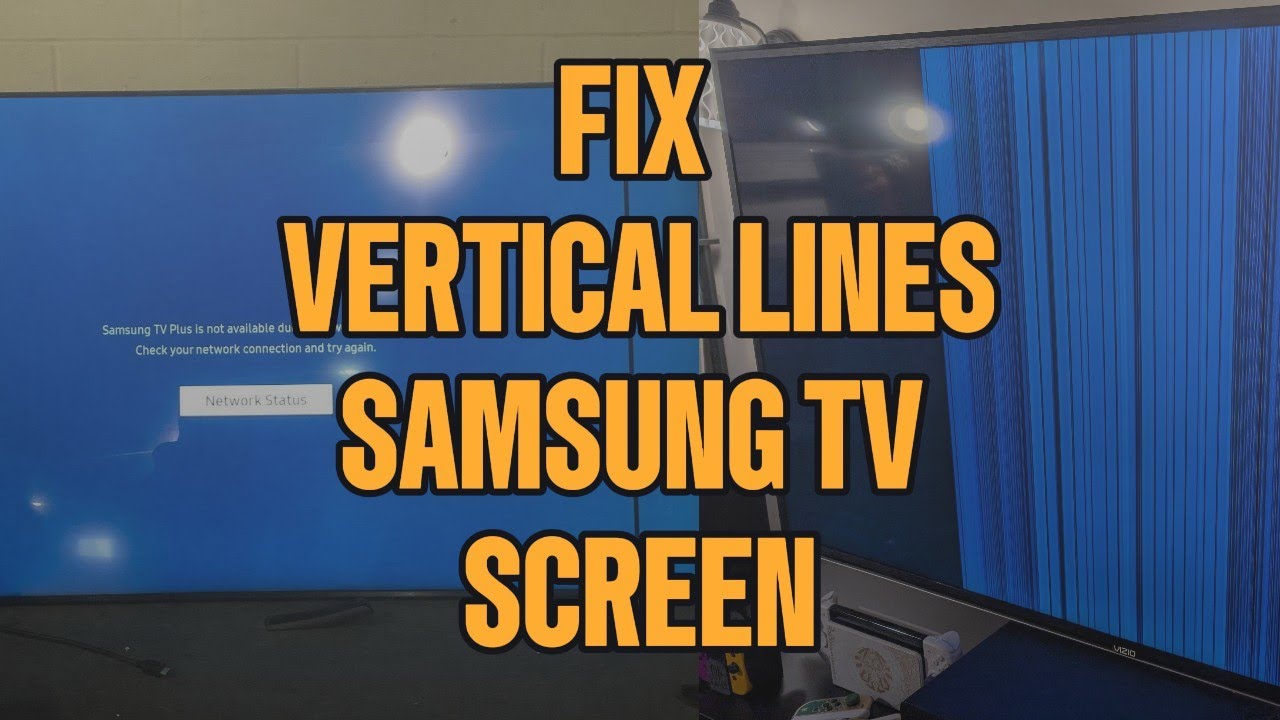
Overview of How to Fix Vertical Lines on Samsung TV (Easy to Advanced Fixes)
Vertical lines on Samsung TVs often stem from software glitches, HDMI or power issues, outdated firmware, or T-Con/TAB hardware problems. Start troubleshooting with cold boots, HDMI checks, firmware updates, and power-source tests. Advanced fixes include factory reset, cleaning T-Con ribbon cables, or using non-conductive tape for certain clock-signal faults. True panel or TAB bond failures usually require panel replacement and are often not cost-effective. Diagnose in sequence to determine if a home fix is possible or if hardware replacement is necessary.
Quick Solutions to Questions related to Vertical Lines on Samsung TV:
-
Why does my Samsung TV have vertical lines all of a sudden?
Sudden vertical lines are usually caused by a temporary software glitch, power fluctuation, or HDMI signal interference; a cold boot or cable check often fixes it. -
Can vertical lines on a Samsung TV be fixed?
Yes — lines from firmware issues, loose cables, power problems, or T-Con connections are often fixable; panel or TAB bond failures are usually permanent. -
Will a factory reset remove vertical lines?
A factory reset can fix lines caused by corrupted settings or firmware issues but will not fix hardware problems like panel or TAB bond failure. -
How do I test if HDMI cables are causing vertical lines?
Unplug all HDMI cables, open the on-screen menu; if lines disappear, reconnect cables one at a time until the offending cable or device is found. -
What indicates TAB bond failure versus a fixable issue?
One thin vertical line or multiple pixel-width lines that change when pressing the bezel indicate TAB bond or panel failure, which usually requires panel replacement. -
Is it safe to keep using a Samsung TV with vertical lines?
Yes for now, but if lines worsen over time it often signals failing hardware, so address the issue early to avoid further damage.
If you’re seeing vertical lines on your Samsung TV screen, you’re not alone—and it doesn’t automatically mean your screen is ruined. In 2026, most Samsung TV line issues still come down to signal problems, firmware bugs, power instability, or fixable internal connections, not instant panel failure.
In this up-to-date guide, you’ll learn exactly what causes vertical lines on Samsung TVs, how to diagnose the problem correctly, and which fixes actually work—starting with quick at-home solutions and ending with honest hardware realities.
Why Does My Samsung TV Have Vertical Lines?
Vertical lines on a Samsung TV usually appear due to:
- Temporary software glitches
- Loose or damaged HDMI cables
- Power fluctuations
- Outdated firmware
- T-Con board signal issues
- TAB bond or panel failure
The fix depends on whether the issue is external, software-based, or hardware-related.
Vertical Lines on Samsung TV? Try These Fixes Before Replacing
Watch the video below to see exactly how to fix vertical lines on a Samsung TV, starting with quick resets and ending with advanced hardware checks.
Video Guide: How to Fix Vertical Lines on Samsung TV
Fix 1: Cold Boot Your Samsung TV (Soft Reset)
When this works
- Random vertical lines
- Lines appearing after power outages
- Temporary display glitches
How to cold boot a Samsung TV
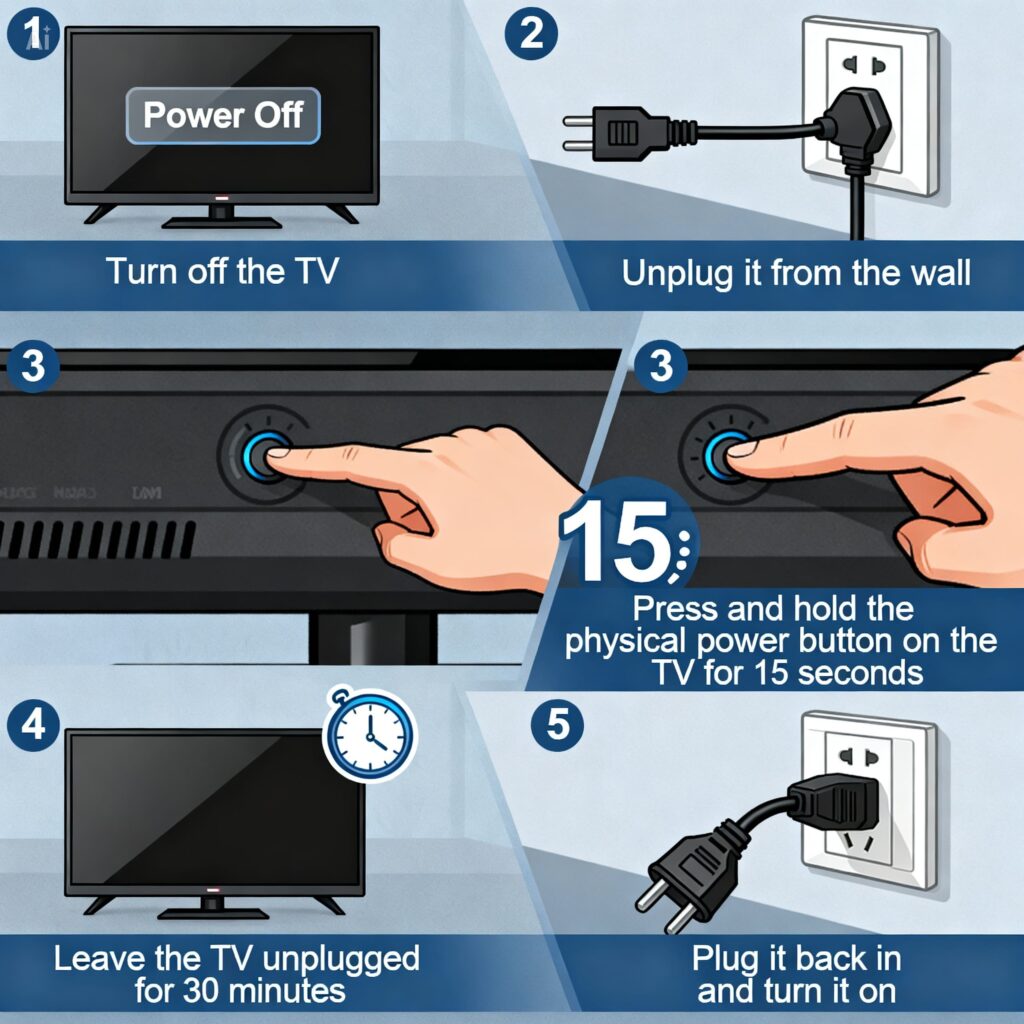
- Turn off the TV
- Unplug it from the wall
- Press and hold the physical power button on the TV for 15 seconds
- Leave the TV unplugged for 30 minutes
- Plug it back in and turn it on
A cold boot clears residual power from internal components and often resolves display issues instantly.
Fix 2: Check HDMI Cables and Connected Devices
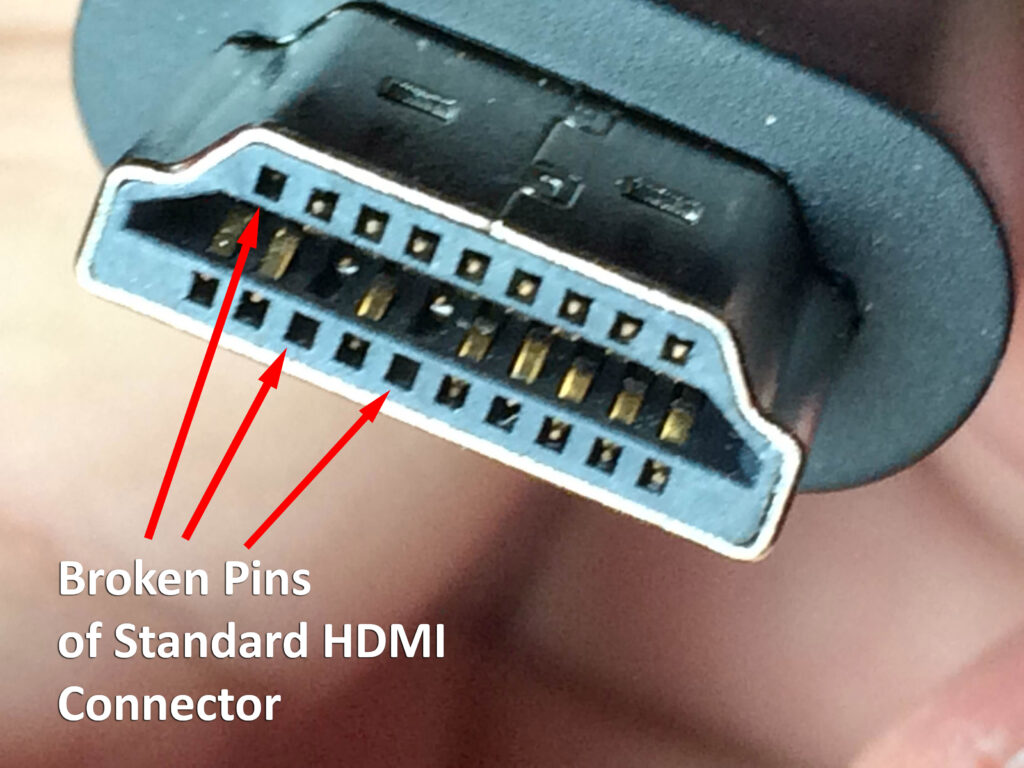
Why HDMI cables cause vertical lines
A loose or damaged HDMI cable can introduce signal interference, which often shows up as vertical lines or flickering patterns.
How to test HDMI-related issues
- Unplug all HDMI cables from the TV
- Turn the TV on and open the on-screen menu
- If the vertical lines disappear, the issue is external
- Reconnect HDMI cables one at a time until the lines return
Replace the cable or device causing the problem.
Fix 3: Update Samsung TV Firmware
Why software updates matter
Outdated firmware can cause compatibility issues, display bugs, and signal errors.
How to update Samsung TV software
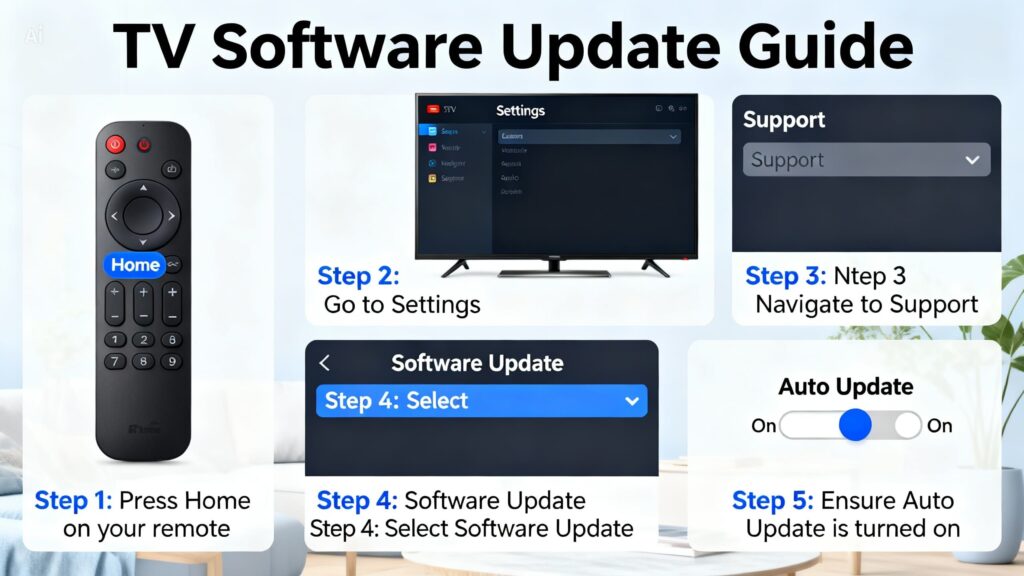
- Press Home on the remote
- Go to Settings > Support > Software Update
- Turn Auto Update ON
Some Samsung models require USB firmware updates, especially older TVs. Updating ensures your display drivers function correctly (Samsung TV software update guide).
Fix 4: Check the Wall Power Source
Power issues that cause vertical lines
Inconsistent voltage or faulty surge protectors can affect the TV’s display circuitry.

What to do
- Remove surge protectors or smart plugs
- Plug the TV directly into the wall outlet
- Try a different wall socket if possible
This step rules out power delivery problems that mimic hardware failure.
Fix 5: Factory Reset the Samsung TV
When to factory reset
- Lines persist after updates
- Software settings may be corrupted
Factory reset steps
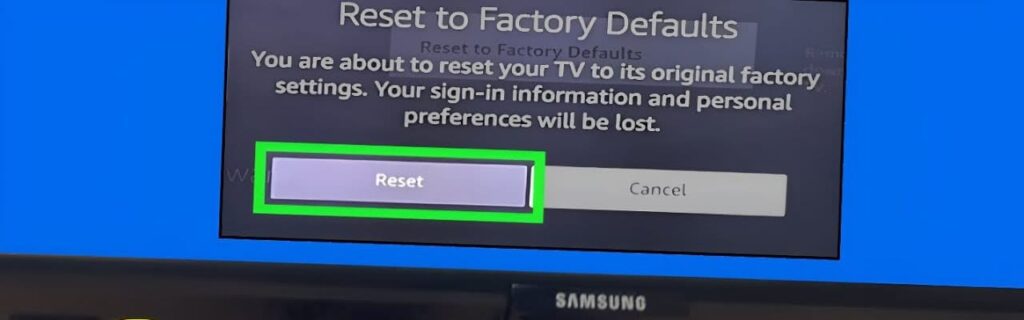
- Press Home
- Go to Settings > General & Privacy > Reset
- Enter the PIN (default is 0000)
This restores the TV to original settings and removes software-level issues.
Fix 6: Clean the T-Con Board Cables (Advanced)
What is the T-Con board?
The Timing Control (T-Con) board manages how pixels are fired across the screen. Dirty or loose ribbon cables can disrupt this signal and cause vertical lines.
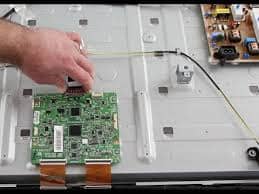
How to clean T-Con cables
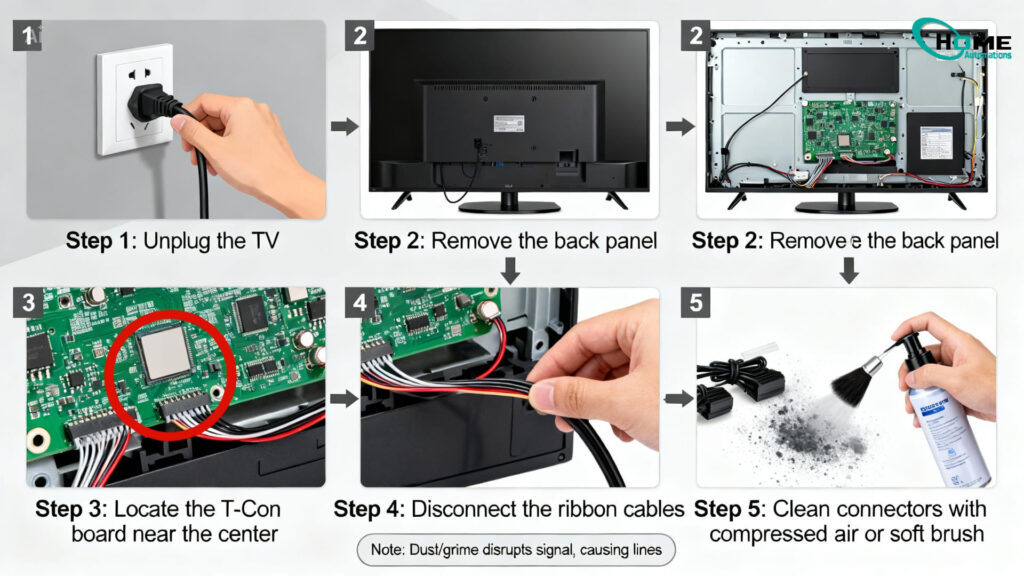
- Unplug the TV
- Remove the back panel
- Locate the T-Con board
- Release and remove ribbon cables
- Clean connectors with compressed air or a soft brush
- Reconnect securely
Dust or oxidation here commonly causes vertical line artifacts.
Fix 7: T-Con Tape Method (Signal Clock Fix)
When this method works
- Repeating vertical lines
- Partial screen distortion
- Known clock signal issues
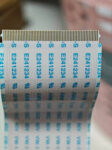
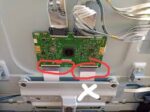
Using non-conductive tape, you can block faulty clock signals on the T-Con ribbon cable. This allows remaining signals to compensate for the failure.
⚠️ This is a precision fix and should be done carefully.
Fix 8: TAB Bond Failure (Panel Issue)
Signs of TAB bond failure
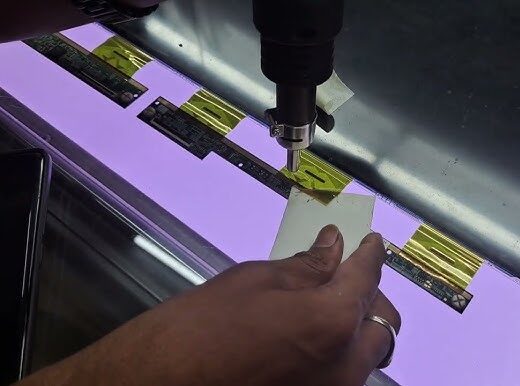
- One thin vertical line
- Multiple pixel-width lines
- Lines change when pressing the bezel
TAB bonds connect panel drivers directly to the screen and are factory sealed.
Important reality check
- TAB bonds cannot be replaced
- Panel replacement is usually the only permanent fix
- Repair is often not cost-effective
If pressing the bezel makes the line flicker or disappear, TAB bond failure is confirmed.
Is It Worth Repairing a Samsung TV With Vertical Lines?
- Yes, if the issue is software, HDMI, power, or T-Con related
- No, if the panel or TAB bonds are failing
Understanding the cause helps you avoid unnecessary repair costs.
Final Thoughts
Vertical lines on a Samsung TV can look serious, but in many cases, the fix is simpler than expected. Software glitches, HDMI interference, power delivery issues, and even dirty T-Con connections are still the most common causes in 2026.
The key is troubleshooting in the right order—starting with resets and signal checks before assuming screen damage. By following this guide step by step, you’ll know exactly whether your Samsung TV can be fixed at home or if replacement is the smarter move.
Frequently Asked Questions (FAQ)
Why does my Samsung TV have vertical lines all of a sudden?
Sudden vertical lines are usually caused by a temporary software glitch, power fluctuation, or HDMI signal interference. A cold boot or cable check often fixes the issue immediately.
Can vertical lines on a Samsung TV be fixed?
Yes. Vertical lines caused by firmware issues, loose cables, power problems, or T-Con board connections are often fixable. Lines caused by panel or TAB bond failure are usually permanent.
Do vertical lines mean my Samsung TV screen is damaged?
Not always. Many vertical line problems come from external sources or internal signal boards—not the screen itself. Panel damage is typically the last possibility after troubleshooting.
Will a factory reset remove vertical lines?
A factory reset can fix vertical lines caused by corrupted settings or firmware issues, but it will not fix hardware-related problems like panel or TAB bond failure.
How much does it cost to fix vertical lines on a Samsung TV?
- Software or cable fixes: Free
- T-Con board repair or replacement: Moderate cost
- Panel or TAB bond failure: Usually not cost-effective
Are vertical lines covered under Samsung warranty?
Vertical lines may be covered if caused by a manufacturing defect and the TV is still under warranty. Physical damage or liquid corrosion is usually excluded.
Is it safe to keep using a Samsung TV with vertical lines?
Yes, but if the lines worsen over time, it often indicates a failing hardware component. Addressing the issue early can prevent further damage.
About The Author

Hassan Zaka
I am an expert in accounting and possess diverse experience in technical writing. I have written for various industries on topics such as finance, business, and technology. My writing style is clear and simple, and I utilize infographics and diagrams to make my writing more engaging. I can be a valuable asset to any organization in need of technical writing services.
Follow Us:LinkedinTwitter