Overview of Error Code 1061 On Fire TV: How To Fix IT
Error 1061 on Fire TV means Prime Video cannot connect to Amazon servers. Causes include unstable Wi‑Fi, VPN blocking, corrupted app data, outdated software, and HDMI issues. Fixes: restart or power‑cycle devices, refresh Wi‑Fi, clear Prime Video cache/data, update system and app, disable or change VPN, use an HDMI extender or different port, and as a last resort factory reset. Keeping software updated and avoiding blocked VPNs prevents recurrence.
Quick Solutions to Questions related to Fire TV Error 1061:
-
How do I fix error 1061 on my Fire TV?
Restore a stable connection: restart or power cycle Fire Stick, router, and TV; refresh Wi‑Fi; clear Prime Video cache and data; update device and app; disable VPN; check HDMI connections; factory reset only if other steps fail. -
Can a VPN cause error 1061 and how do I test it?
Yes. Turn off the VPN and open Prime Video—if it works, the VPN caused error 1061; try switching VPN servers or watch without the VPN. -
Will clearing Prime Video data delete my account info and watchlist?
Clearing data removes local app preferences and sign‑in info on the Fire TV, so you must sign in again; your Amazon account data remains safe. -
How long should I wait when power cycling to fix error 1061?
Unplug Fire Stick, TV, and router and wait 2–3 minutes; plug in the router first, let it fully reconnect, then the TV and Fire Stick. -
Does error 1061 mean my Fire Stick hardware is broken?
No. Error 1061 is almost always a connection problem; try network, app, and HDMI fixes before suspecting hardware failure.

You open Prime Video on your Fire TV and see a black screen with error code 1061. You want a clear reason and a fix that works without guesswork.
You will learn what this error means and why it shows up on your device. You will also see simple steps you can take to get Prime Video working again.
Key Takeaways
- You can fix the error by restoring a stable connection.
- You can resolve app, network, and device conflicts.
- You can keep your setup updated for reliable streaming.
Here is a Step by Step Visual Guide How to Fix Error Code 1061 On Fire TV:
Understanding Fire TV Error 1061
What Error 1061 Means
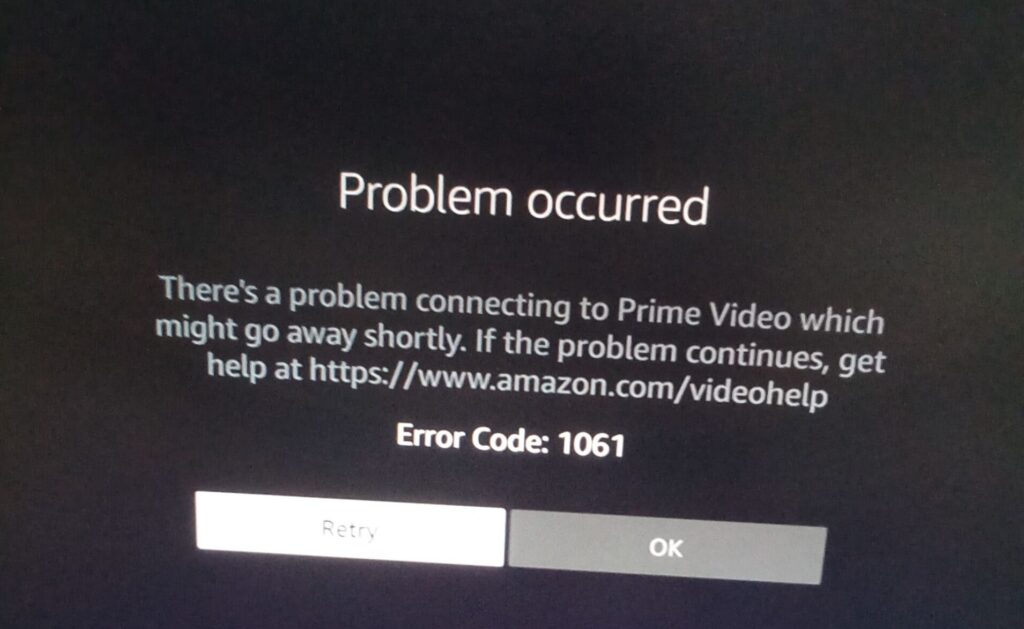
You open Prime Video and see a black screen with error code 1061.
This error means your Fire TV fails to connect to Amazon Prime Video servers.
When this happens, the app does not load any content.
You do not get a clear message beyond the error code.
Common Causes
Several issues can block the connection between your Fire TV and Prime Video.
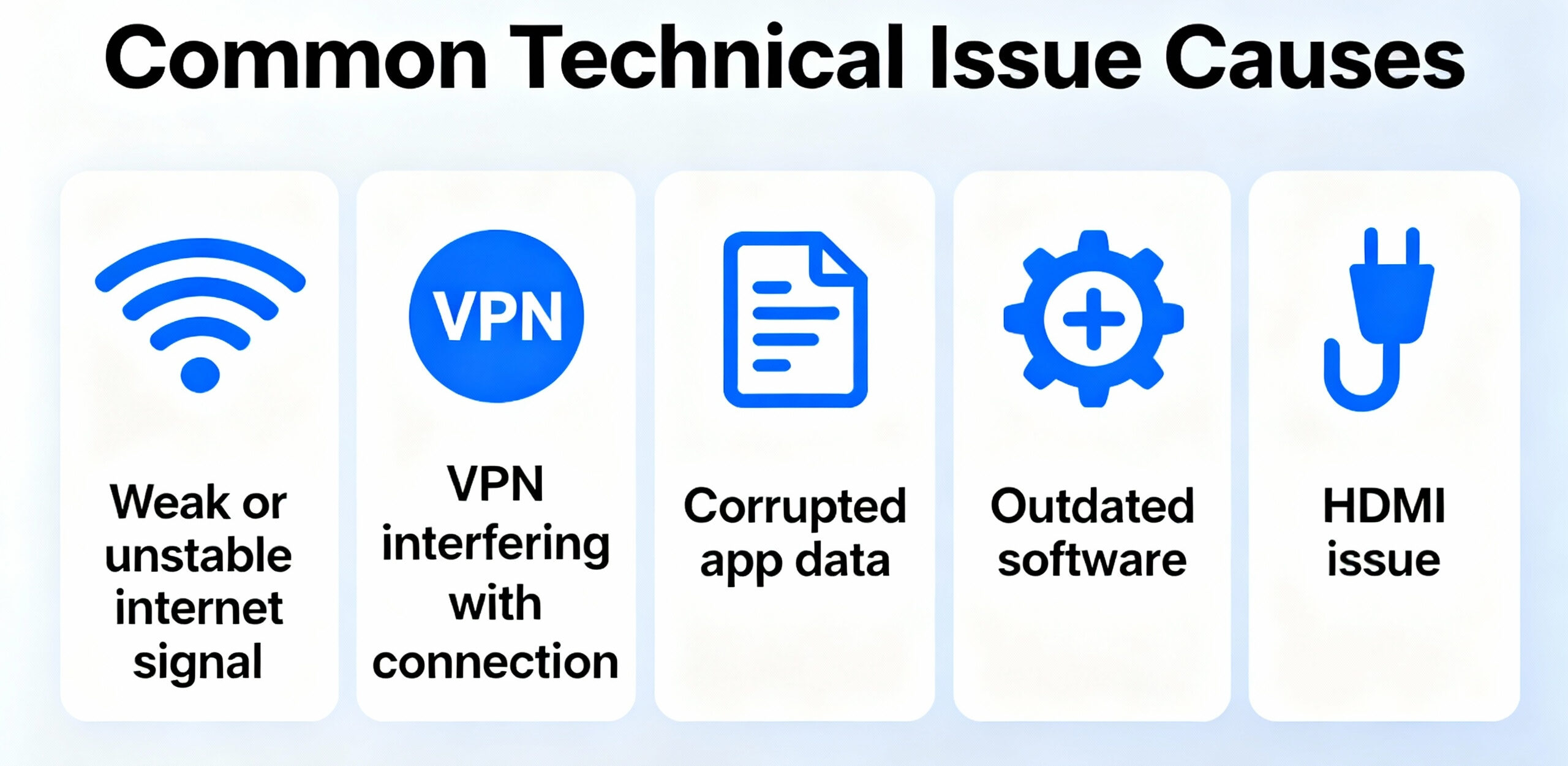
| Cause | What Happens |
|---|---|
| Weak or unstable internet | Your Fire TV cannot maintain a steady connection |
| VPN in use | Amazon blocks some VPN connections |
| Corrupted app data | Damaged temporary files stop the app from loading |
| Outdated software | Old system or app versions cannot talk to Amazon servers |
| HDMI connection problems | Poor signal or interference affects the Fire Stick |
These issues can appear alone or together.
Any one of them can trigger error 1061.
Essential Internet Connection Fixes
Restart Fire Stick
- Unplug your Fire Stick from the power source.
- Wait one full minute.
- Plug it back in and open Prime Video again.
This simple step often fixes error 1061 right away.
Perform a Full Power Cycle
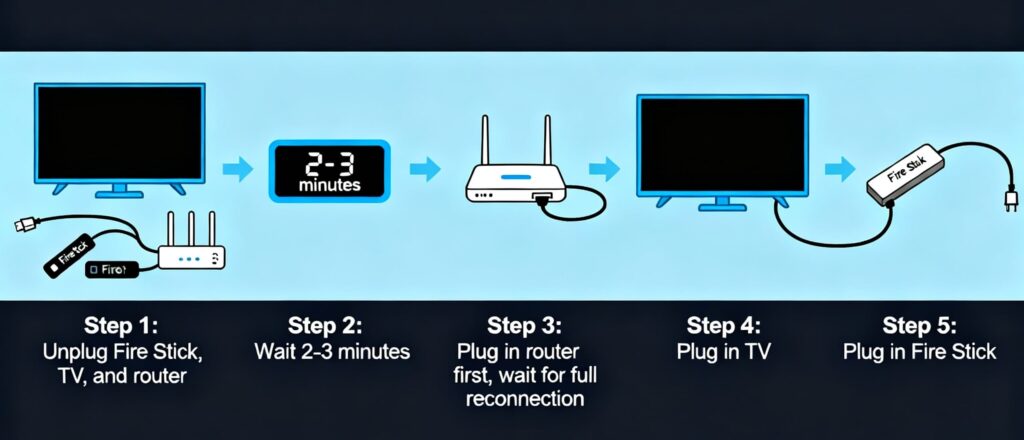
- Unplug your Fire Stick, TV, and router.
- Wait 2–3 minutes.
- Plug in the router first and let it fully reconnect.
- Plug in the TV, then the Fire Stick.
This resets the full connection chain and clears common connection issues.
Refresh Wi-Fi Network
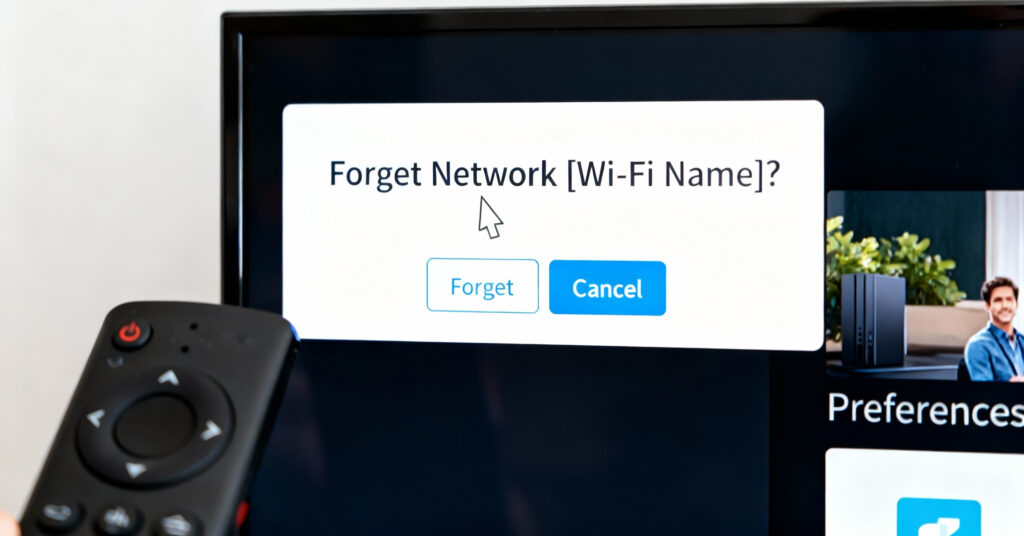
- Open Settings on your Fire TV.
- Go to Network and select your Wi‑Fi.
- Choose Forget Network.
- Reconnect and enter the password again.
This clears hidden network conflicts that can block Prime Video.
Troubleshooting App and Device Issues
Clear Prime Video Cache and Data
Corrupted temporary files often trigger error 1061. Clearing them can restore the connection.
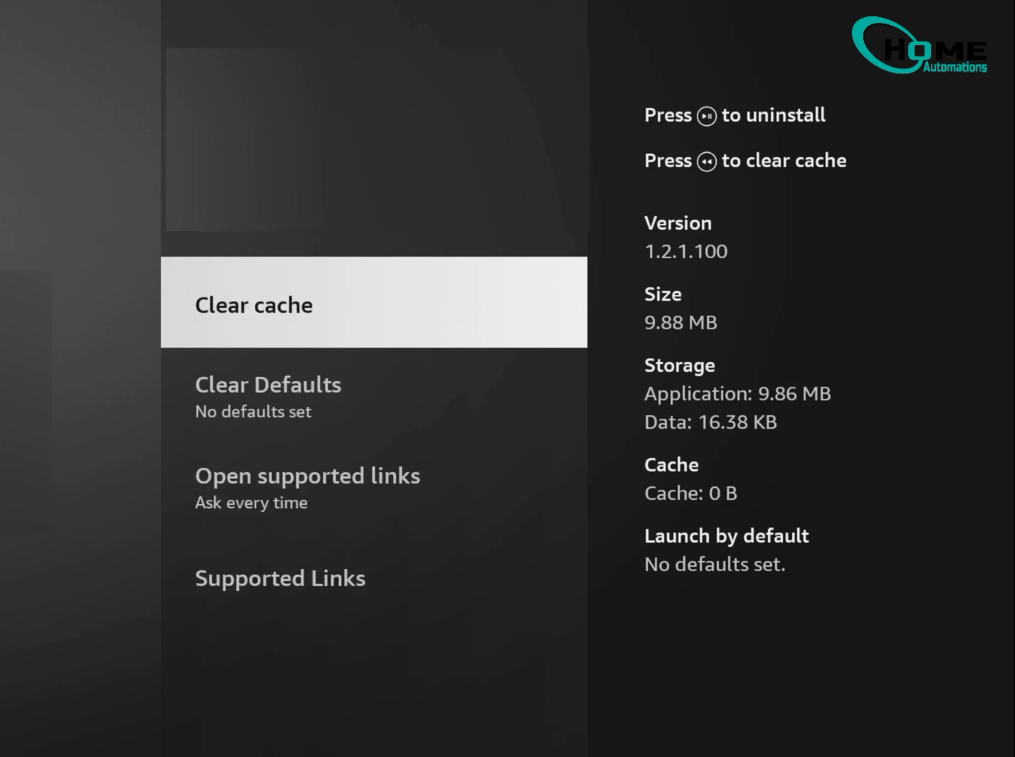
Steps to follow:
- Open Settings on your Fire TV
- Go to Applications > Manage Installed Applications
- Select Prime Video
- Choose Clear Cache, then Clear Data
- Restart your Fire Stick and open Prime Video again
Check for Software Updates
Outdated software can block communication with Amazon servers. Keep both the device and app updated.
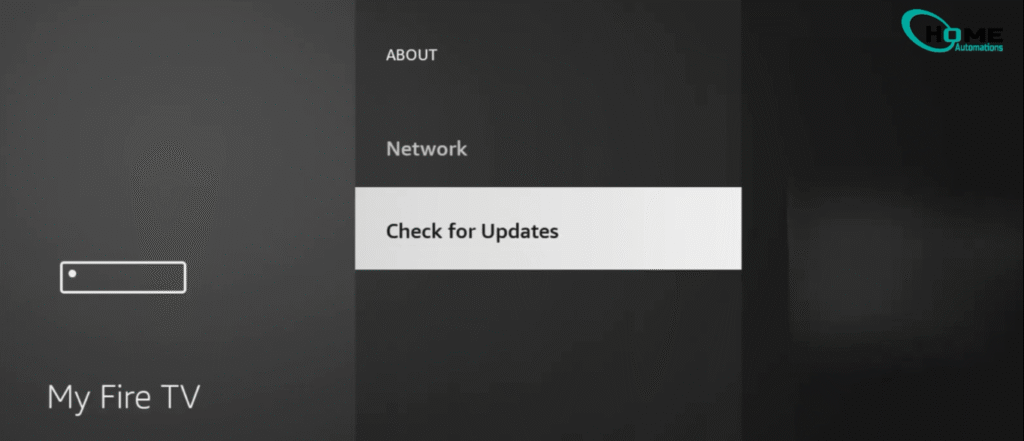
What to check:
- Fire Stick software: Open Settings and install any available updates
- Prime Video app: Open the Amazon App Store and confirm the app is up to date
Updating both often fixes error 1061 when other steps fail.
Resolving Network and VPN Conflicts
Disable VPN Temporarily
If you use a VPN, turn it off and open Prime Video.
If Prime Video works right away, the VPN caused error 1061.
- Amazon often blocks VPN connections
- You may need to switch VPN servers or watch without the VPN
| Action | Result |
|---|---|
| Turn off VPN | Restores direct access to Prime Video |
| Switch VPN server | May bypass the block |
| Watch without VPN | Most reliable fix |
Test Prime Video Connection
After you change the VPN setting, test Prime Video again.
Open the app and check if the black screen or error 1061 is gone.
- If the app loads, the network conflict is resolved
- If the error returns, move on to the next fix in the process
Addressing HDMI and Hardware Problems
Use HDMI Extender
If your Fire Stick came with an HDMI extender, use it. The extender helps reduce interference and overheating behind the TV.
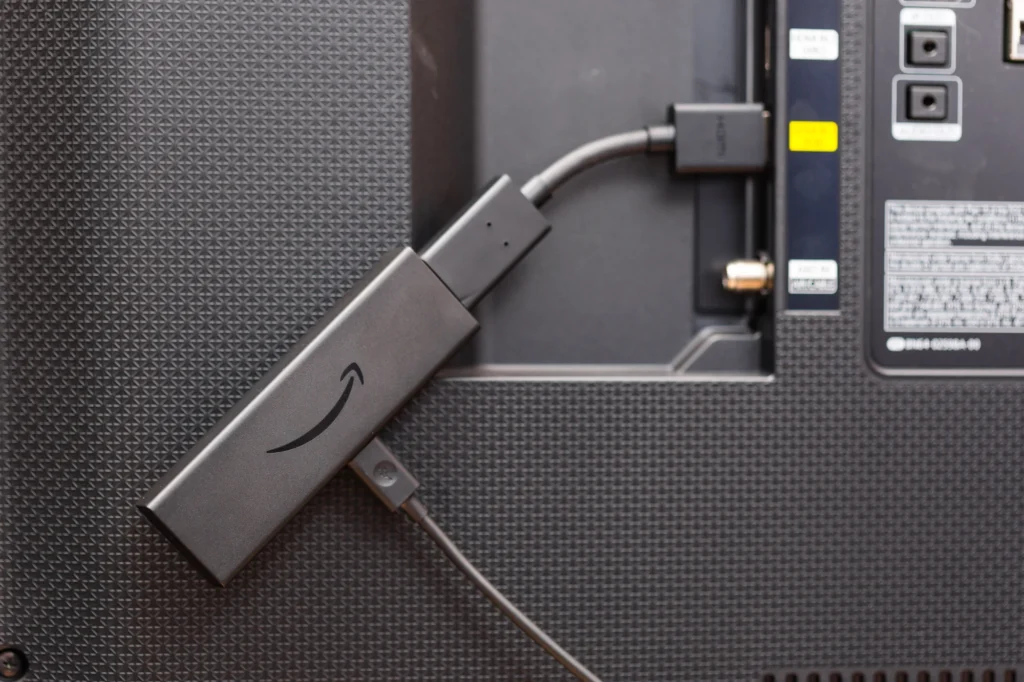
- Plug the extender into the TV
- Connect the Fire Stick to the extender
- Make sure the connection feels firm and secure
This simple change has fixed error 1061 for many users.
Switch HDMI Ports
Check how the Fire Stick connects to the TV. A loose or faulty port can trigger error 1061.
- Unplug the Fire Stick
- Move it to a different HDMI port
- Push it in until it feels secure
Many users fix the problem just by changing HDMI ports.
Performing a Factory Reset
Use a factory reset as your last option when error 1061 keeps coming back. This step erases all data and settings on your Fire TV.
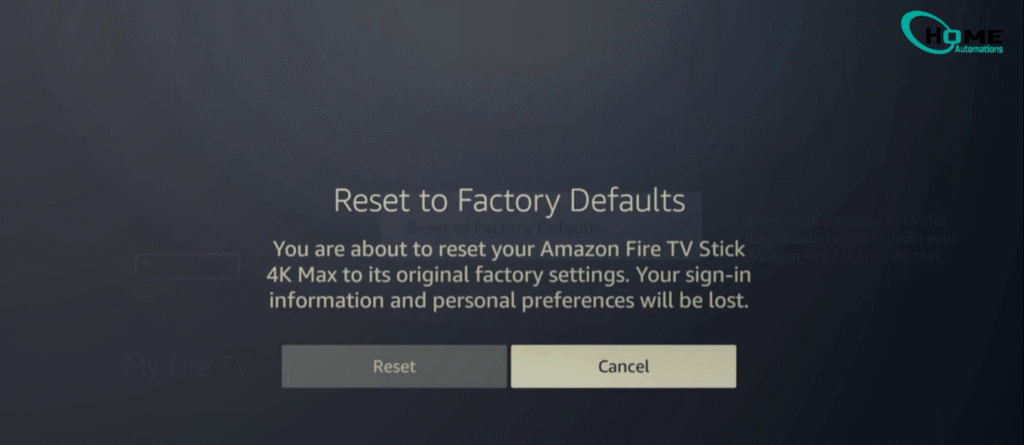
- What it does: Wipes saved apps, settings, and account data.
- Why it helps: It almost always fixes stubborn error 1061 issues.
- When to use it: Only after other fixes fail.
After the reset, set up your Fire TV again and sign back into Prime Video.
Staying Updated With Streaming Solutions
You avoid many streaming errors when you keep your Fire TV and apps up to date. Outdated software can block proper communication with Amazon servers and trigger error 1061.
Check updates often:
- Update your Fire TV system software.
- Open the Amazon App Store and update Prime Video.
- Restart your Fire Stick after updates to apply changes.
You also need to watch for tools that affect your connection. Amazon often blocks VPN traffic, which can cause the error to return without warning.
| Item to review | What to do |
|---|---|
| VPN status | Turn it off or switch servers if Prime Video fails |
| HDMI setup | Use the HDMI extender and try another port |
| Power cycle | Unplug Fire Stick, TV, and router, then reconnect |
You stay ahead of repeat issues by checking these settings anytime the error comes back.
Recommended FAQs for Fire TV Error 1061
Based on the content and common user queries about streaming errors, here are the most relevant FAQs:
Why does error 1061 keep coming back on my Fire TV?
The error returns when connection issues persist. Common reasons include unstable Wi-Fi signals, your VPN blocking access to Amazon servers, or corrupted app data building up again. Check your internet stability first, disable any VPN temporarily, and clear the Prime Video cache regularly to prevent repeat occurrences.
Can I watch Prime Video with a VPN without getting error 1061?
Yes, but you need to choose carefully. Amazon blocks many VPN connections, which triggers error 1061. Try switching to a different VPN server location, preferably one in your actual country. Some premium VPN services work better with streaming platforms. If the error persists, you may need to watch without the VPN active.
How long should I wait when power cycling my Fire TV?
Wait at least 2–3 minutes after unplugging everything. This gives all devices enough time to fully discharge and reset their connection settings. Plug in your router first and let it reconnect completely before powering on your TV and Fire Stick. Rushing this process can leave connection conflicts unresolved.
Will clearing Prime Video data delete my watchlist and settings?
Yes, clearing data removes your app preferences and login information. You will need to sign back into Prime Video and rebuild your watchlist. However, your actual Amazon account data stays safe—only the local app settings on your Fire TV get erased.
Does error 1061 mean my Fire Stick is broken?
No, this error almost never means hardware failure. Error 1061 is a connection problem between your device and Amazon servers. The Fire Stick itself usually works fine. Try the internet and app fixes first before considering hardware issues.
Should I factory reset my Fire TV immediately?
No, save the factory reset as your last option. Try simpler fixes first: restart your Fire Stick, clear the app cache, update software, and check your HDMI connection. Factory reset erases everything on your device, so only use it when all other solutions fail to fix error 1061.
Can a weak Wi-Fi signal cause error 1061 even if other apps work?
Yes, Prime Video requires a stable connection to stream content. Other apps might work with a weaker signal because they demand less bandwidth. If your Fire TV sits far from the router or behind walls, the unstable connection can trigger error 1061 specifically on Prime Video.
Why does using an HDMI extender help fix the error?
The HDMI extender moves your Fire Stick away from the TV’s heat and reduces signal interference. When the Fire Stick overheats or gets poor HDMI signal quality, it can cause connection errors including 1061. The extender improves both cooling and signal strength.
These FAQs address the most common questions users have when troubleshooting Fire TV error 1061 and provide practical answers that complement your main content.
About The Author

Hassan Zaka
I am an expert in accounting and possess diverse experience in technical writing. I have written for various industries on topics such as finance, business, and technology. My writing style is clear and simple, and I utilize infographics and diagrams to make my writing more engaging. I can be a valuable asset to any organization in need of technical writing services.
Follow Us:LinkedinTwitter