Overview of Adding Hbo Max To Lg Smart Tv
HBO Max can be watched on many LG Smart TVs (2018+ webOS 4.0+) natively or via streaming methods like Apple AirPlay, Chromecast, Apple TV, game consoles (PS4/Xbox One), and Android screen mirroring. For non-US users, a VPN may be required. Installation steps include downloading the HBO Max app on supported LG TVs or streaming/casting from a mobile device or set-top box. Newer LG models (2019+) support AirPlay 2; HBO Max is available on LG webOS in certain regions.
Quick Solutions to Questions related to How To Download HBO MAX To Lg Smart Tv:
-
How can I get HBO Max on my LG Smart TV natively?
On supported LG Smart TVs (2018+ webOS 4.0+), open the app store, search for HBO Max, download it, then log in with your HBO Max credentials. -
Can I use AirPlay to stream HBO Max to my LG TV?
Yes; 2018+ (webOS 4.0+) and 2019+ AirPlay 2–compatible LG models can receive HBO Max via Apple AirPlay from an iPhone, iPad, or Mac on the same Wi-Fi network. -
What is the best way to watch HBO Max on a non-smart LG TV?
Use an external device such as Chromecast, Apple TV, or a gaming console (PS4/Xbox One) and install the HBO Max app on that device to stream to the TV. -
How do I cast HBO Max from my phone using Chromecast?
Plug Chromecast into the TV, connect devices to the same Wi-Fi, open HBO Max on your phone, tap the cast icon, and select your LG TV. -
Can I mirror HBO Max from an Android phone to my LG TV?
Yes; enable Cast or Screen Cast on your Android device, select your LG TV, open Screen Share on the TV, then launch HBO Max to mirror content. -
Do I need a VPN to use HBO Max on my LG TV outside the USA?
Yes; if you are outside supported regions you will need a VPN to access HBO Max, otherwise you may encounter an error message.
HBO Max arrived recently and although it does come with compatibility for a number of devices, LG smart TVs are not presently one of them. However, that’s not to say you can’t truly watch HBO Max on your LG smart TV. Simple to say that adding HBO Max to Lg smart Tv isn’t there, according to the HBO help pages, the HBO Now app (the non-Max version) is still not available on LG’s smart TV platform.
How To Download HBO MAX To Lg Smart Tv
HBO Max is available natively using LG Smart TV (2018+ ). Additionally, you may be able to stream to your LG Smart TV through Apple AirPlay (2018+ (webOS 4.0+) models).
HBO Max app on LG Smart TV
- Click here to sign up for HBO Max.
- Once you’ve signed up, go to the Home Screen on your LG Smart TV.
- Launch the app store and search for “HBO Max” on your LG Smart TV.
- Select “Download” to install the app.
- Once installed, log in using your HBO Max credentials.
- You can now stream HBO Max on LG Smart TV.
Apple AirPlay
- Click here to sign up for HBO Max.
- Install the HBO Max iPhone/iPad app.
- Once installed, log in using your HBO Max credentials.
- Make sure your Smart TV is connected to the same Wi-Fi network as your iPhone/iPad.
- Start playing the content in the HBO Max app and select the AirPlay icon.
- Choose your LG Smart TV and it will start displaying on your Smart TV.
Here Are the other Methods of How To Get HBO Max on Lg Smart TV
Method – 1
If you have a 2019 or newer LG smart TV then the easiest way to access HBO Max on the TV is by using the included AirPlay 2 support to stream videos from an Apple iPhone to the TV.
AirPlay 2 is supported only on LG’s 2019 OLED TVs, LG NanoCell SM9X and SM8X series TVs, LG UHD UM7X series.
- Step 1: Connect your LG TV and your Mac or iOS device to the same Wi-Fi network.
- Step 2: On the top Menu bar on your Mac, you can find the AirPlay icon. Click it. For iPhone and iPad, open the HBO Max app and click the AirPlay icon.
- Step 3: Now choose the LG TV from the available devices.
- Step 4: Your Mac screen or iOS screen will be displayed on your TV.
- Step 5: On your, Mac open HBO Max via a web browser.
And that’s it. Start playing your favorite content.
More: Add Hbo Max To Vizio Smartcast TV
Method -2
In the case of non-smart LG TV, you can use the Chromecast device. Or buy the Apple TV set-top box. And download the HBO Max app on it. Or you can also use gaming consoles like PS4 or Xbox One. Finally, we are watching HBO Max on your LG TV.
Watch HBO MAX Videos On LG TV Using Apple Tv
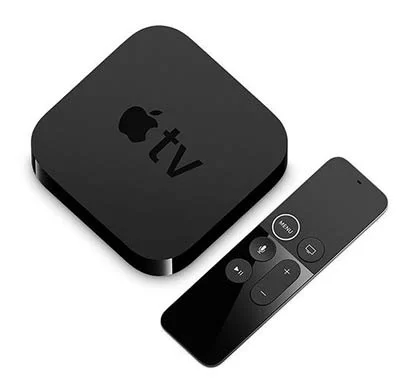
Price: 199.00
- Step 1. Connect your Apple TV on your LG Smart TV.
- Step 2. Turn on your Apple TV. Click the App Store
- Step 3. In the search option of the Apple App Store type HBO Max.
- Step 4. Open the HBO Max App.
- Step 5. Then Subscribe for it by Signing up.
- Step 6. Now, watch HBO Max.
HBO Max content by using Chromecast
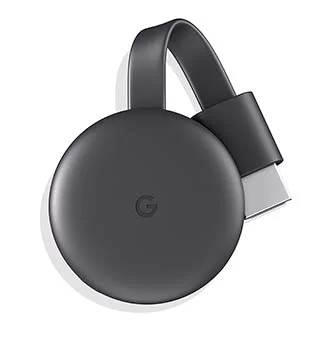
Price: $29.99
- Step 1. Connect your Chromecast on your TV HDMI.
- Step 2. Connect all the needed devices to the same Wi-Fi network.
- Step 3. Install the HBO Max App on your Smartphone by downloading it.
- Step 4. If you have an HBO Max account just Sign-in or else Sign up.
- Step 5. Now open the HBO Max App on your Smartphone and click the video you want to watch.
- Step 6. On the video screen, you get to see the cast icon.
- Step 7. Select the cast icon
- Step8. click your Living Room LG Smart TV.
Furthermore, although this is a Google device, Chromecast also works with iPhone and so regardless of whether using an Android or iOS device, Chromecast will be one of the easiest and cheapest ways to Adding Hbo Max To Lg Smart Tv, or otherwise, if not using AirPlay 2, a streaming player or games console.
How to Get HBO Max App on Samsung Smart Tv
HBO max by using PS4 and Xbox
You can use your streaming players like PS4 and Xbox One to stream the HBO max rich content on your smart tv without any problems. You need to download and install the app on your streaming players and cast to LG TV.
Method-3
Screen Mirroring HBO Max on LG TV:
From Android Devices
- Step 1: Connect your Android phone and LG smart TV to the same Wi-Fi network.
- Step 2: On your Android smartphone or tablet, open Settings, and choose Cast or Screen Cast.
- Step 3: From the list of available devices, choose your LG TV.
- Step 4: Open Screen share on your LG TV. Give the necessary permissions.
- Step 5: Your phone screen will be mirrored on your TV.
- Step 6: Launch the HBO Max app. And start streaming your favorite content.
- Step 7: It will appear on your LG Smart TV.
For Non-US User
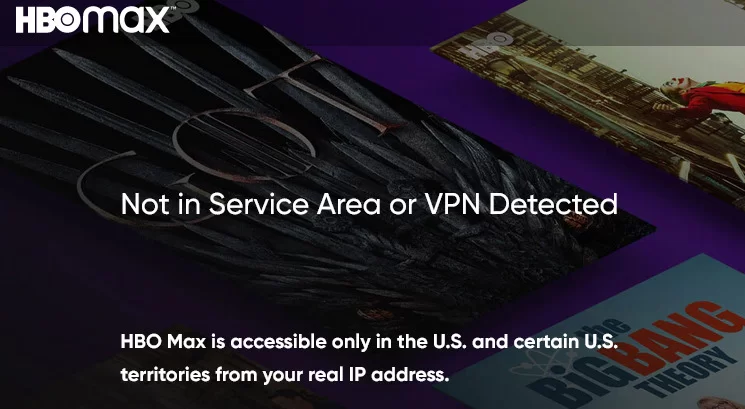
if you live in a region outside of the USA, you will need the best VPN to get HBO Max no matter what the method is. if you try to access it without one abroad, you will come across the following error message:
Frequently Asked Question
When will HBO max be on LG smart tv official?
The HBO Max app is now available on LG Smart TVs in the United States, including LG OLED TVs, according to LG Electronics USA and WarnerMedia.
WarnerMedia’s direct-to-consumer streaming service is now available on LG Smart TVs, making it easier than ever for subscribers to access the popular streaming platform’s full portfolio of premium content in one seamless experience. This follows the June launch of HBO Max on LG Smart TVs in select Latin American and Caribbean territories.
LG Smart TV owners can now access HBO Max on the TV’s webOS platform by opening the HBO Max app using their remote or when available, by saying “HBO Max” into their LG Magic Remote.
About The Author

Hassan Zaka
I am an expert in accounting and possess diverse experience in technical writing. I have written for various industries on topics such as finance, business, and technology. My writing style is clear and simple, and I utilize infographics and diagrams to make my writing more engaging. I can be a valuable asset to any organization in need of technical writing services.
Follow Us:LinkedinTwitter