Overview of Apple Watch Homekit
You can control HomeKit devices from your Apple Watch using the Home app to operate lights, switches, thermostats, locks, and scenes. Add accessories and create scenes from the iPhone Home app, mark them as favorites to show on the Watch, then use the Watch Home app to open, adjust, swipe for options, and return to the list. Remote access requires a Home hub (Apple TV 3rd generation, HomePod, or iPad). The Watch can download and customize faces. Comparison notes list Series 4 vs Series 3 hardware differences and pricing ranges.
Quick Solutions to Questions related to You Can Control Your Home with Apple Watch Homekit:
-
How do I control smart accessories from my Apple Watch?
Open the Home app on your Apple Watch, tap an accessory to adjust settings, swipe left for more options, and tap done to return to the accessories list. -
Can I control Alexa from my Apple Watch?
Yes. Use Siri on your Apple Watch to issue commands like turn off the lights, create a scene, or set the thermostat. -
How do I add a new accessory or create a scene for Apple Watch?
Add the accessory or create the scene first using the Home app on your iPhone; once added and favorited it will appear on the Apple Watch. -
What do I need for remote access to HomeKit from my Apple Watch?
You need a Home hub at home such as an Apple TV 3rd generation, HomePod, or an iPad to enable remote HomeKit access from your iPhone and paired Apple Watch. -
How do I download and add a new watch face?
Press firmly on the watch face to enter switching mode, swipe left and tap the New button, turn the Digital Crown to select a face, tap to confirm, then customize it.
How to Control Your Smart Home with Apple Watch and HomeKit
You Can Control Your Home with Apple Watch Homekit
Download Home app from app store on your Apple Watch to quickly turn on a light, control a switch, set the thermostat, or lock the door.
Can I Control Alexa From Iwatch
Yes. Ask Siri. Say something like: “Turn off the lights in the office, create a scene, set the thermostat.
To Add a New Accessory or Create a Scene
The new accessory or create a scene available on apple watch via using home app from your iPhone to add a new accessory or create a scene first then you can use apple watch to use it.
Steps how to create a scene
- To set an item as a favorite, go to the Home app on your iPhone, then tap Rooms
- Swipe left or right to find the accessory or scene, then touch and hold it
- Tap Settings, then turn on Include in Favorites
After this it appears on your apple watch of add accessory or scene.
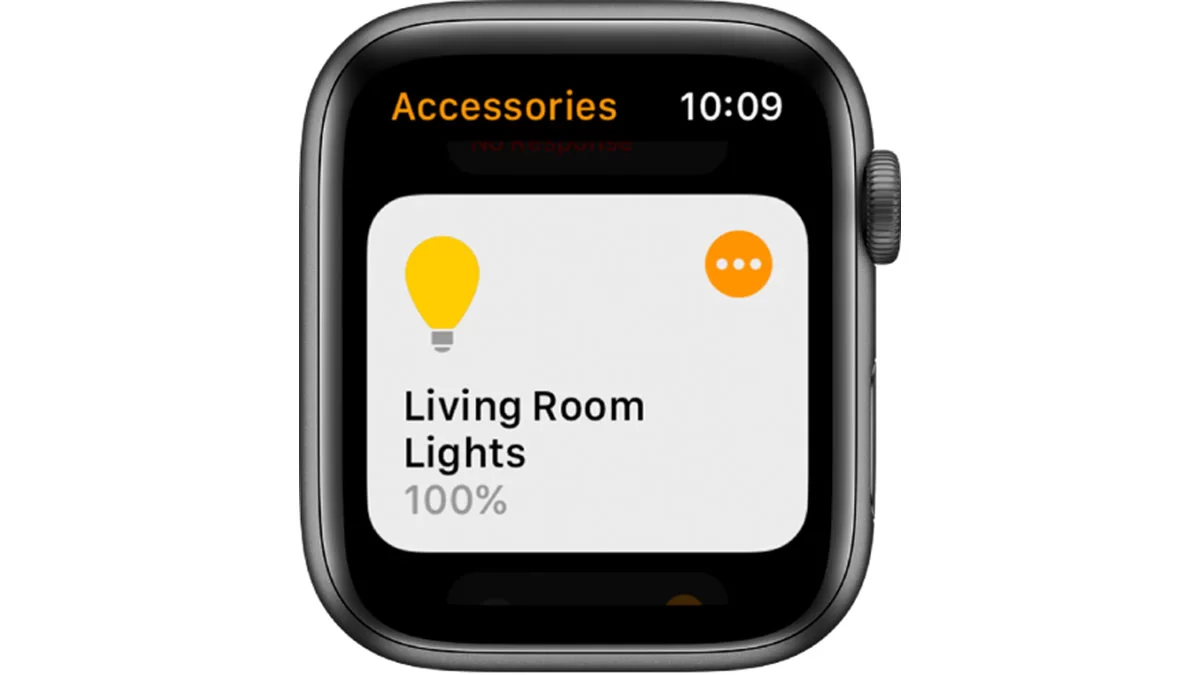
How to Control Smart Accessories and Scenes
- Open the Home app on your Apple Watch
- Tap for an accessory, then adjust your settings
- Swipe left to see more options
- To return to the accessories list, tap done
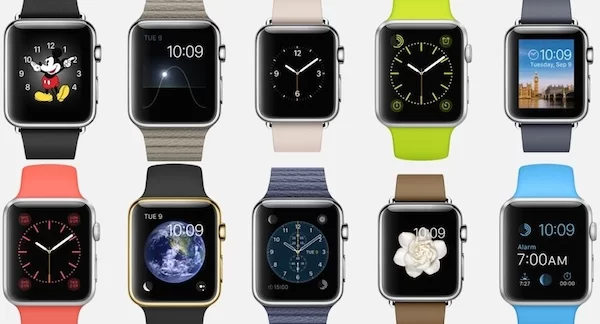
How Do I Download Different Faces for Apple Watch
- Press firmly on the watch face to enter switching mode.
- Swipe all the way to the left and tap + New button.
- Turn the Digital Crown to select the clock face you want to add.
- Tap the watch face to confirm.
- Customize the new watch face version
Remote Access from Apple Watch to Control Your Smart Appliances
You must have a 3RD generation TV, Home pod or an IPad at home which works as a hub to get you access remotely Homekit devices from your iPhone and your paired apple watch.
Is Series 4 Or Series 3 Apple Watch Better?
[images cols=”three” lightbox=”true”]
[image link=”3403″ image=”3403″]
[image link=”3402″ image=”3402″]
[/images]
Series 4 | Series 3 |
10.7mm thick, 5ATM waterproof, LTPO OLED Retina display with Force Touch | 11.4mm thick, 5ATM waterproof, OLED Retina display with Force Touch |
Aluminum and stainless steel options, three colors, Nike+ models and Hermès models | Aluminum only options, two colors, Nike+ model |
GPS and GPS and Cellular options | |
Memory: GPS 8gb and GPS and cellular 16gb | |
Size: 40mm/44mm | Size: 38mm/42mm |
S4 processor, W3 wireless chip, electrical heart sensor, fall detection, Bluetooth 5.0 | S3 processor, W2 wireless chip, Bluetooth 4.2 |
Barometric altimeter, ambient light sensor, built-in GPS, optical heart sensor, accelerometer, gyroscope, 802.11b/g/n 2.4GHz Wi-Fi, 18-hour battery life | |
All run Watch OS 5 and support OS 6 | |
| $ 399 to 1249 | $ 280 to 380 |
What Devices Works With Apple Homekit?
Find it out by clicking Apple Homekit devices 2019
About The Author

Hassan Zaka
I am an expert in accounting and possess diverse experience in technical writing. I have written for various industries on topics such as finance, business, and technology. My writing style is clear and simple, and I utilize infographics and diagrams to make my writing more engaging. I can be a valuable asset to any organization in need of technical writing services.
Follow Us:LinkedinTwitter