Overview of How to Add MyQ to HomeKit (Best Working Methods in 2025)
Chamberlain discontinued the MyQ HomeKit Bridge, but HomeKit integration remains possible via alternatives. Recommended options: buy a native HomeKit opener like Meross MSG100HK, use Homebridge or HOOBS with the MyQ plugin for existing MyQ hardware, or consider iSmartGate. The article explains setup steps, pros/cons, troubleshooting tips, and user-tested reliability to help choose the best solution for 2025.
Quick Solutions to Questions related to MyQ to HomeKit:
-
How can I add MyQ to Apple HomeKit if the official bridge is discontinued?
Use a native HomeKit garage controller like Meross MSG100HK, use Homebridge or HOOBS with the MyQ plugin, or use iSmartGate. -
Can I keep my existing MyQ hardware and still integrate with HomeKit?
Yes — use Homebridge or HOOBS with the official MyQ plugin to bridge your existing MyQ hardware into HomeKit. -
What is the easiest plug-and-play option to get MyQ working with HomeKit?
Buy the Meross Smart Wi-Fi Garage Door Opener (MSG100HK) and add it to the Home app by scanning the HomeKit code. -
Does the old MyQ HomeKit Bridge still work?
Some users report it still works, but it has been discontinued, is hard to find, and lacks ongoing support or updates. -
What troubleshooting steps help if MyQ accessories do not appear in HomeKit?
Ensure MyQ works in its app first, use the same 2.4 GHz Wi-Fi, update firmware and apps, remove and re-add the accessory, and restart your HomeKit hub.
If you’ve ever tried to connect your MyQ garage door opener to Apple HomeKit, you probably realized it’s not as simple as scanning a QR code anymore. Chamberlain has officially discontinued the MyQ HomeKit bridge, which used to make this connection easy.
But don’t worry — HomeKit integration is still possible, and in some cases, even better than the old method.
This guide explains the best working solutions (tested and recommended by real users), why they work, and how to set them up easily.
🧭 Understanding the MyQ and HomeKit Situation
Let’s start with the basics.
Chamberlain’s MyQ system is designed to let you open, close, and monitor your garage door from your smartphone. But the catch is — it doesn’t natively support Apple HomeKit anymore.
Originally, you could buy the MyQ HomeKit Bridge (model 819LMB), pair it, and instantly control your garage from the Apple Home app or Siri.
Unfortunately, that official bridge has been discontinued.
So now, users rely on alternative solutions — either third-party hardware like Meross and iSmartGate, or software bridges like HOOBS and Homebridge.
💡 Best Working Solutions to Add MyQ to HomeKit
After analyzing hundreds of Reddit user comments and reviews, here are the top 3 proven ways to add MyQ to Apple HomeKit in 2025 — explained in simple language.
- Use a Native HomeKit Garage Controller (Recommended)
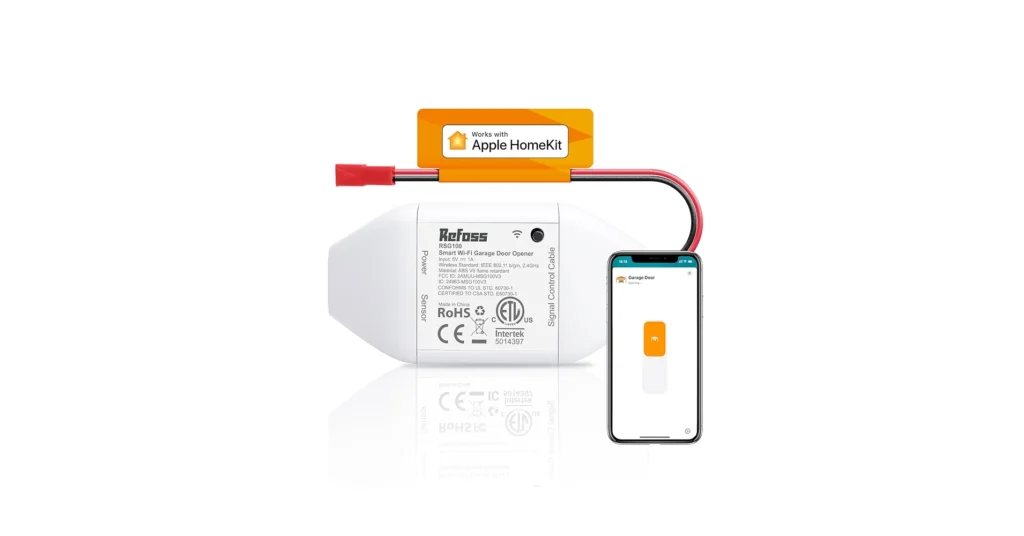
Best Option: Meross Smart Wi-Fi Garage Door Opener (Model MSG100HK)
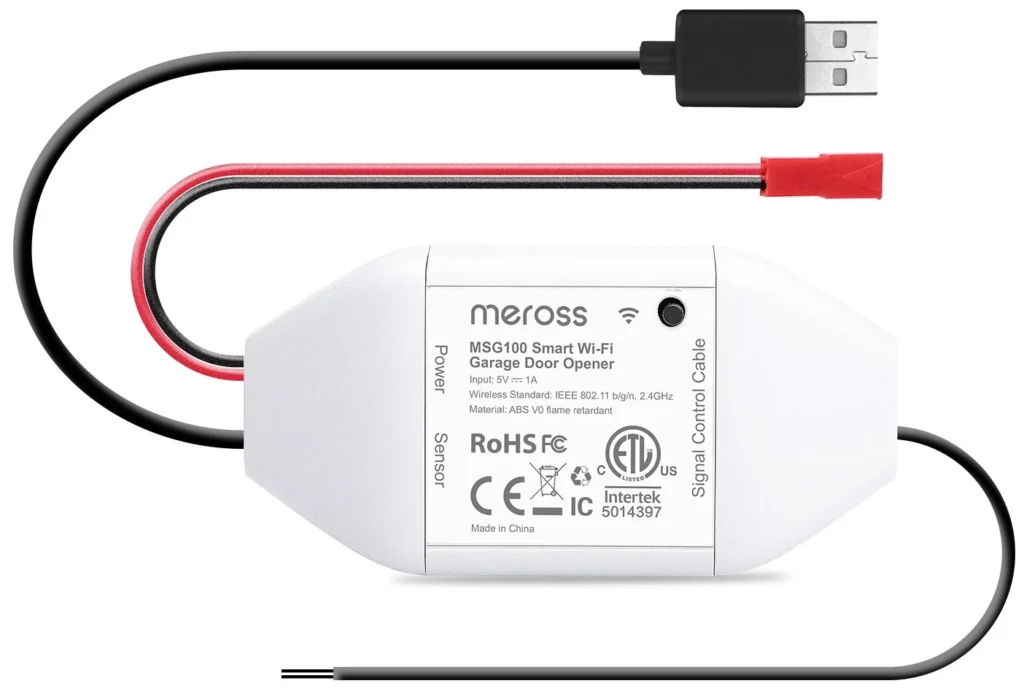
Why this is the best:
- Fully supports Apple HomeKit, Siri, Alexa, and Google Assistant.
- Easy setup — no coding, no servers.
- Works with most garage door openers (Chamberlain, LiftMaster, Genie, etc.).
- Shows open/close status in the Home app and supports automation.
What Real users said:
“Meross garage opener was the best investment I’ve ever made. Yes, it does give you an open and close status. … All of this can be achieved by the Home app.”
How to set it up:
- Download the Meross app and connect the opener to Wi-Fi.
- Add it to the Apple Home app by scanning the HomeKit code.
- You’ll instantly see it appear under Garage Door accessories in Home.
✅ Pro Tip: Some garage models need an extra adapter to work with Meross — check your opener type before buying.
- Use HOOBS or Homebridge (For Tech-Savvy Users)
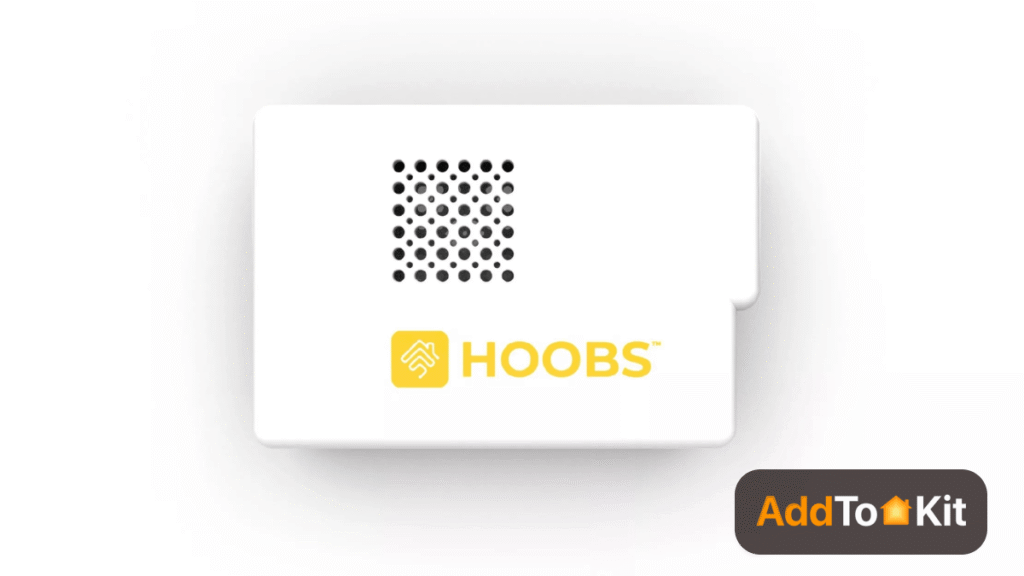
If you already have MyQ hardware and want to keep it, this method lets you “bridge” MyQ into HomeKit through local software.
What you need:
- A small server (like a Raspberry Pi, Mac, or Windows PC).
- Homebridge or HOOBS software installed.
- The official MyQ plugin for Homebridge.
Why users love it:
- Keeps your existing MyQ hardware.
- Works locally, not cloud-dependent.
- Adds MyQ, Ring, TP-Link, and other devices into HomeKit.
Setup summary:
- Install Homebridge (or HOOBS for an easier UI).
- Add the MyQ plugin from the plugin store.
- Enter your MyQ account credentials in the config file.
- Open the Apple Home app and scan the bridge QR code.
- Boom — your garage shows up in HomeKit.
Users feedback:
“Use Homebridge. It works flawlessly.”
“MyQ Homebridge plug-in. Easy.”
⚙️ Note: If you signed in to MyQ using your Apple ID or Google account, create a separate MyQ login first — the plugin needs a traditional email+password combo.
- Try the Original MyQ HomeKit Bridge (If You Still Have It)
Some long-time users still use the official Chamberlain HomeKit Bridge, and report that it’s “rock solid.”
Pros:
- Works natively with Apple Home.
- No need for third-party software.
Cons:
- Discontinued, hard to find, no support or updates.
- Some users report “Not Responding” or setup issues.
What Real User says:
“Used it for years and it’s been rock solid.”
“No longer supported, but still works.”
“Had trouble from day one — inconsistent hardware.”
If you already have this bridge and it’s stable, you can keep using it. But for new users, it’s not worth hunting down.
🧰 Alternative Options Worth Considering
iSmartGate
Another strong alternative, works with HomeKit, Alexa, Google, and IFTTT.
- Compatible with Chamberlain, LiftMaster, and many others.
- Gives full control and live camera feed (Pro version).
⚙️ Troubleshooting & Tips
If your MyQ or bridge doesn’t show up in HomeKit, here’s what to check:
✅ Make sure the MyQ device is set up and working in the MyQ app first.
✅ Keep your iPhone/iPad and MyQ device on the same 2.4 GHz Wi-Fi network.
✅ Update your MyQ app and firmware regularly.
✅ If the device still doesn’t respond — remove it from HomeKit and re-add it.
✅ Restart your HomeKit Hub (Apple TV, HomePod, or iPad) if remote control isn’t working.
🔍 Quick Comparison: Which Method Should You Choose?
| Method | Easy to Set Up | Works with Existing MyQ? | Reliable? | Ideal For |
| Meross Smart Opener (MSG100HK) | ✅ Very Easy | ❌ New Device Needed | ⭐⭐⭐⭐ | Most HomeKit users |
| Homebridge / HOOBS Plugin | ⚙️ Moderate | ✅ Yes | ⭐⭐⭐⭐ | Tech-savvy DIY users |
| Original MyQ HomeKit Bridge | 🧩 Moderate | ✅ Yes | ⭐⭐ (discontinued) | Users who already own it |
| iSmartGate | ✅ Easy | ✅ Compatible | ⭐⭐⭐⭐ | Multi-platform users |
🏁 Final Thoughts
So, how to add MyQ to HomeKit in 2025?
Here’s the short answer:
If you’re setting up from scratch — go with Meross (MSG100HK) or iSmartGate.
If you already have MyQ hardware — use Homebridge or HOOBS.
If you still own the official Chamberlain bridge — it might keep working, but don’t rely on long-term support.
These methods are the most user-tested, stable, and future-proof ways to get your garage door talking to Apple HomeKit today.
About The Author

Hassan Zaka
I am an expert in accounting and possess diverse experience in technical writing. I have written for various industries on topics such as finance, business, and technology. My writing style is clear and simple, and I utilize infographics and diagrams to make my writing more engaging. I can be a valuable asset to any organization in need of technical writing services.
Follow Us:LinkedinTwitter