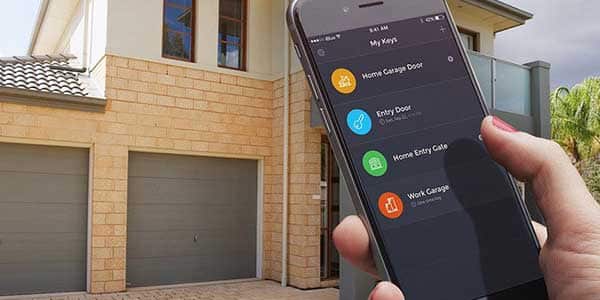
Overview of How to Change Garage Door Code without Old Code
Digital garage door keypads can be reset and reprogrammed without the old code by accessing the motor and using the keypad or remote controls. Procedures vary by brand (LiftMaster, Chamberlain, Wayne Dalton, Stanley) but commonly involve pressing a learn/reset button on the motor, entering a new four-digit code on the keypad or remote, and reprogramming remotes. Some models require pressing specific key combinations (like * and #) on a remote and using the motor's learn button. Always use a ladder to reach the motor and follow the indicator lights or beeps to confirm successful programming.
Quick Solutions to Questions related to Changing Garage Door Code:
-
How do I reset my garage door code if I lost the old code?
Access the motor, press and hold the reset button until the indicator light turns off, then enter and save a new code on the keypad. -
Can I change the garage door code without the old code for LiftMaster or Chamberlain?
Yes; use a remote to press star and hash together, enter a new four-digit code, then press the motor learn button and program the keypad by entering the new code and pressing 0 three times. -
What is the way to reprogram remote controls after resetting the motor?
Hold down the button on the remote until the motor light flashes, indicating successful reprogramming. -
How do I change the code on a Wayne Dalton garage door?
Use a ladder to reach the motor, press and hold the program button until the indicator signals, then enter the new four-digit code on the keypad and hold 0 until the door moves to save it. -
How do I reset and set a new code on a Stanley garage door keypad?
Enter the radio code, press and hold radio learn and access learn for ten seconds until the indicator turns off, then enter a new four-digit code and press access learn once to save it.
Locking mechanisms have not been left behind by modern technological breakthroughs. Digital locking mechanisms are a product of the digital age and may be both a benefit and a burden. These devices make sure you can swiftly and safely enter and exit your garage.
However, if you lose the code, you will be unable to enter for a while until you find out a new way. You need to be prepared for situations like these where there is nobody home to open the door from the inside.
Fortunately, changing your garage door code only takes a few simple steps and doesn’t require the old code or expert assistance.
How To Change Or Reset The Garage Door Code?
This simple method for changing your code outlined below is only applicable if your door does not have a door blocker behind it. The easy procedure is as follows:
1. Gain Access to the Door’s Motor
Get a ladder by going through the main door. Place the ladder beneath the motor and ascend to the top. Whether your door is rolling or sectional, you will see two motors on either side. Check that both motors are accessible.
2. Restart the Motor
Locate the reset button in the control panel. Press and hold it for a few seconds until the light next to it turns off. This indicates that the motor reset was successful and that the previous code was removed from its memory.
To avoid a gap in your garage door, carefully reset the code.
3. Enter the New Code
Following a successful reset, input a new code into your garage door system. Access the keypad and push and hold the reset button until the light next to it returns to life.
Then, enter your selected code and see the light blink.
Press and hold the motor button again until the blinking light stops. Then, keep holding until the light goes out. After that, reprogram your remotes.
4. Reprogram Your Remote Controls
Hold down the button on your remote until the motor’s light starts flashing again. That indicates that the remote reprogramming was successful.
- How to reprogram other Garage door openers such as Liftmaster, Chamberlain, Genie, and Clicker!
How to Change Garage Door Code without Old Code?
This method is the same for:
- Liftmaster garage door
- Chamberlain Garage Door
1. Acquire a Remote Control.
To reset the garage door keypad, first remove the cover from your remote control. When you open it, you’ll see various switches.
Next, hit the star (*) and hash (#) buttons at the same time. When you hit these buttons, the red light will flash a few times.
2. Type in a Four-Digit Code
On the remote, enter a new code. Select a number between 1 and 9, then hit the pound button. Then, on the back of your device, press the garage door opener type. Then press the # button one more.
3. Gain Access to the Motor
Obtain a ladder and ascend to the door’s motor. Locate and hit the learn button on the motor. After pushing the learn button, you should see a blinking light.
Go outside to the keypad and input the new password you created in the previous step. Then, three times, push 0.
Others Garage Doors
- Wayne Dalton Garage Door
- Stanley Garage Door
How to Change Wayne Garage Door Code?
Wayne Dalton garage door openers are controlled by a control panel installed within your garage, a keypad mounted outside your garage, or remote control. When you input the programmed code, the keypad unlocks or closes the door.
To Change the code, do the following:
1. Gain Access to The Motor
To gain access to the motor installed in your garage ceiling, use a ladder. Locate the program button and push and hold it until the indicator light on the machine illuminates.
This light indicates that the unit is in programming mode. If you use the IDrive motor, instead of the indication light, you will hear a beep.
2. Type in the New Code
Remove the keypad cover and enter your door’s new four-digit code. If you make a mistake, simply push the on/off/reset button and try again.
Hold down the 0 button until the door begins to move. When you let off of the button, the new code is recorded to the unit and the old one is wiped from memory.
How to Change Stanley Garage Door Code?
Stanley garage door keypads are battery-powered and wall-mounted, allowing you to electrically access your garage without utilizing a pull chain or manually lifting the door. When you first install the keypad, you may program it with a four-digit code.
If the item is not operating properly, you can disable the keypad or alter the code by entering the incorrect code and then resetting the keypad. You can input a new password once you reset the keypad.
If you want to change the door code, do the following:
- First, on your garage door keypad, enter the radio code for your door opener. The code may be found in the original papers that came with the Stanley door opener.
- Simultaneously press the radio learn and access learn keys.
- Hold down both keys for ten seconds. Your keypad’s status indicator will turn off. If it is still turned on, tap both keys again. Your keypad has been reprogramed.
- When you press the access learn key twice, the indicator light will blink twice and then remain lit.
- Type in your new four-digit code.
- Press the access learn button once, and the indicator light will turn off. If it blinks quickly, re-enter the new code as it was not processed correctly.
- Your new code is set, and your keypad is back to a working state.
Further Query and support: Chamberlain, Liftmaster
More:
How To Reset Liftmaster Garage Door Opener
About The Author

Hassan Zaka
I am an expert in accounting and possess diverse experience in technical writing. I have written for various industries on topics such as finance, business, and technology. My writing style is clear and simple, and I utilize infographics and diagrams to make my writing more engaging. I can be a valuable asset to any organization in need of technical writing services.
Follow Us:LinkedinTwitter